System Design - Part 1
“Writing code makes it work for one user. System design makes it work for a million.”
Let’s start with what System Design actually means ↓
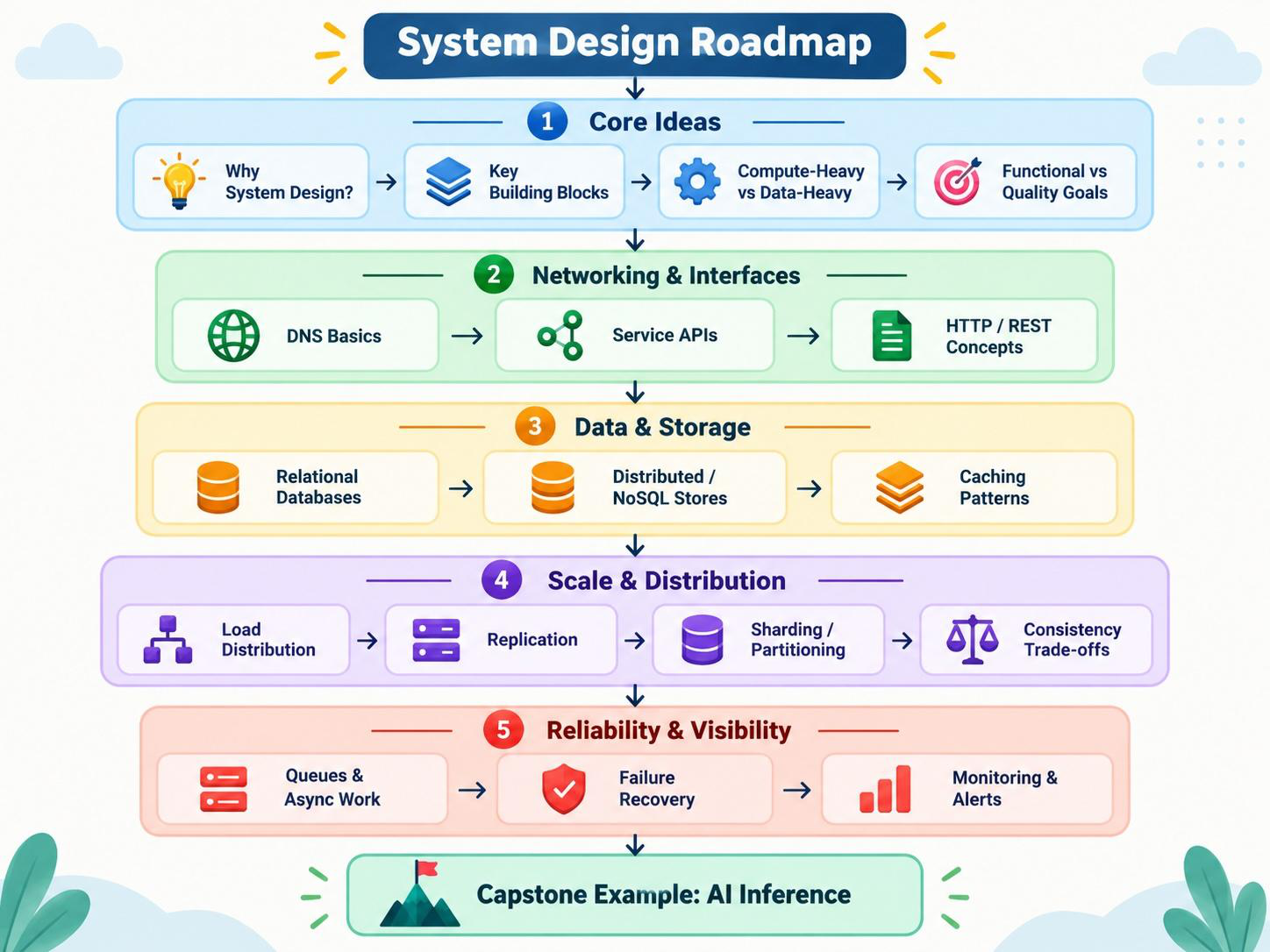
NOTE: In System Design, try to keep the discussion as generic and technology-agnostic as possible, especially in the beginning. For example, when designing a RAG system, instead of saying, “I will use ChromaDB,” say, “We need a vector database to store embeddings and perform similarity search.” First explain what type of component is required, why it is needed, and how it interacts with the rest of the system. Specific technologies such as ChromaDB, Redis, Kafka, PostgreSQL, Kubernetes, or a particular LLM serving framework can be discussed later based on the requirements and trade-offs. The focus should be on Requirement → Component → Responsibility → Interaction → Trade-offs, and only then on the specific technology choice.
What Does System Design Mean?
Before we talk about System Design, let’s break the term into two simple words:
1. System
A system is a collection of different components that work together to achieve a specific goal.
For example, think about ChatGPT. What we see is a simple chat interface, but behind it there may be many different components:
- Web or mobile application
- API gateway
- Authentication service
- Load balancers
- Application servers
- Databases
- Cache
- Message queues
- GPU infrastructure
- Model inference servers
- Vector databases
- Monitoring and logging systems
- Security controls
Each component has a specific responsibility, but they all work together as one system.
The same idea applies to traditional applications.
An e-commerce platform may contain:
A GenAI application may look more like:
So when we say system, we are not talking about one server, one database, or one application.
We are talking about all the components and the relationships between them that together provide a service to the user.
2. Design
Now let's look at the second word: Design.
Design means deciding:
What components do we need, how should they communicate, and how should they behave when the system grows or something goes wrong?
For example:
- Should we use one server or multiple servers?
- Should we scale vertically or horizontally?
- Where should we use caching?
- What happens if the database goes down?
- How do we handle millions of requests?
- How do we distribute traffic?
- How do we monitor the system?
- How do we deploy changes without downtime?
For GenAI systems, we may have additional questions:
- Should inference run on CPUs or GPUs?
- How many GPUs do we need?
- How should requests be batched?
- Where should we cache LLM responses?
- How do we route requests between different models?
- How do we handle GPU failures?
- How do we control inference latency and cost?
- How do we scale an agent or RAG system to millions of users?
These decisions are part of the design in System Design.
System + Design
Put the two words together:
System Design is the process of deciding what components are required, how those components interact, and how the overall system will meet requirements such as scalability, reliability, availability, performance, security, and cost.
For a DevOps, SRE, Platform, or Forward-Deployed Engineer, System Design is not just about drawing boxes and arrows.
You also need to think about:
- How will we deploy it?
- How will we scale it?
- How will we monitor it?
- How will we troubleshoot it?
- How will we recover when something fails?
- How will we secure it?
- How much will it cost to run?
And in the GenAI era, we add another important set of questions:
How will we run and scale models, GPUs, inference services, RAG pipelines, and AI agents reliably in production?
That is where System Design meets DevOps, SRE, Platform Engineering, and GenAI.
The PEDALS method (Lewis C. Lin) — a memorable version of the same spine
- P — Process requirements: Clarify the question — features, goals, constraints, scope.
- E — Estimate: Back-of-envelope — servers, storage, requests/sec.
- D — Design the service: Key components and API endpoints.
- A — Articulate the data model: Database tables and their fields.
- L — List architectural components: Cloud services and infrastructure to deploy it.
- S — Scale: Add load balancing, caching, and replicas to handle growth.
Functional requirements
A functional requirement describes what the system must do.
For example, imagine we are designing a ChatGPT-like application. Functional requirements could be:
- A user should be able to send a prompt.
- The system should generate a response.
- The user should be able to continue the conversation.
- The system should store conversation history.
- The user should be able to upload a document.
- The system should retrieve relevant information from that document.
- The application should support authentication.
These requirements describe the features and behavior of the system.
A simple way to remember it is:
Functional requirement = What should the system do?
For a traditional e-commerce system, examples would be: users can search products, add items to a cart, place an order, and make a payment.
For a GenAI system, examples might be: users can ask questions, upload documents, generate summaries, invoke tools, or interact with an AI agent.
Non-functional requirements
A non-functional requirement describes how well the system should perform those functions.
Suppose our functional requirement is:
A user should be able to send a prompt and receive an answer.
That tells us what the system should do.
But now we need to ask:
- How quickly should the answer start appearing?
- How many users should the system support?
- What happens if a server or GPU fails?
- How available should the service be?
- How much should each request cost?
- How secure should user data be?
Those are non-functional requirements.
A simple way to remember it is:
Non-functional requirement = How should the system behave while doing it?
| Area | Example requirement |
|---|---|
| Scalability | Support 1 million users |
| Availability | 99.99% availability |
| Reliability | Requests should not be lost |
| Latency | First token should appear within 2 seconds |
| Performance | Handle 10,000 requests per second |
| Security | Encrypt data in transit and at rest |
| Durability | Conversation history should survive failures |
| Cost | Keep average inference cost below a target |
| Observability | Metrics, logs, and traces must be available |
| Disaster Recovery | Recover the service within a defined RTO/RPO |
Why this matters especially for DevOps, SRE, Platform, and FDE roles
This is where System Design becomes very relevant to these roles.
A software engineer may start with:
"Users should be able to send prompts to the LLM."
But an SRE may immediately ask:
"What availability and latency do we need?"
A Platform Engineer may ask:
"How are we going to deploy and scale the inference infrastructure?"
A DevOps Engineer may ask:
"How will we build, deploy, monitor, and roll back this application?"
A Forward-Deployed Engineer may ask:
"What requirements does this specific customer have, and how do we adapt our architecture to meet them?"
And in GenAI, you may need to think about requirements that were much less important in traditional systems.
For example, consider an AI chatbot.
The functional requirement might simply be:
But the non-functional requirements could say:
10,000 concurrent users → TTFT below 2 seconds → 99.9% availability → GPU failure should not interrupt the service → customer data must remain isolated → inference cost must stay within budget.
Now the architecture becomes much more interesting.
You may need:
And suddenly concepts like GPU utilization, batching, model routing, KV cache, autoscaling, observability, fallback models, and inference cost become System Design decisions.
Functional requirements tell us what to build. Non-functional requirements heavily influence how we design and operate it.
Scalability, Availability, Reliability, Latency, and Throughput
Once we understand the functional and non-functional requirements, the next question is:
What qualities does our system need in order to work well in production?
For DevOps, SRE, Platform, and Forward-Deployed Engineers, five terms come up again and again:
Scalability, Availability, Reliability, Latency, and Throughput.
These terms are related, but they describe different things.
1. Scalability
Scalability means the ability of a system to handle increasing workload without becoming unusable.
Suppose today our application serves:
1,000 users
Tomorrow it grows to:
100,000 users
And eventually:
10 million users
Can our system continue to work?
That is a scalability question.
A system may need to scale because of:
- More users
- More requests
- More data
- More background jobs
- More models
- More GPU inference requests
There are two common ways to scale.
Vertical Scaling
Vertical scaling means making one machine more powerful.
For example:
Or in GenAI:
This is sometimes called:
Scale Up
The architecture remains mostly the same, but the machine becomes more powerful.
The problem is that vertical scaling has limits.
At some point, you cannot keep adding CPU, memory, or GPU resources to the same machine.
Horizontal Scaling
Horizontal scaling means adding more machines.
For example:
This is called:
Scale Out
Instead of sending all traffic to one server:
we may have:
Now traffic can be distributed across multiple machines.
Horizontal scaling is extremely important in modern distributed systems.
It is also important in GenAI.
Instead of having:
One GPU serving every request
we might have:
If traffic increases, we add more GPU workers.
That is horizontal scaling.
2. Availability
Now imagine that our system can handle millions of users.
But what happens if users cannot access it?
That brings us to availability.
Availability describes how often the system is accessible and able to serve requests.
For example:
99% availability
sounds very high.
But 99% availability still allows roughly:
3.65 days of downtime per year.
That may be unacceptable for many production systems.
This is why you often hear numbers such as:
99.9%
99.99%
99.999%
| Availability | Common name | Downtime per year | Approx. downtime per month |
|---|---|---|---|
| 99% | Two nines | 3 days 15 hrs 36 min | ~7 hrs 18 min |
| 99.9% | Three nines | 8 hrs 45 min 36 sec | ~43 min 48 sec |
| 99.99% | Four nines | 52 min 34 sec | ~4 min 23 sec |
| 99.999% | Five nines | 5 min 15 sec | ~26 sec |
These are sometimes called the nines of availability.
The higher the availability requirement, the harder and more expensive the architecture usually becomes.
For example, if we want very high availability, we may need:
- Multiple application instances
- Multiple Availability Zones
- Database replicas
- Automatic failover
- Redundant network paths
- Multiple GPU workers
- Fallback models
A simple application might look like:
But a highly available system might look more like:
If one application instance fails, traffic is sent somewhere else.
3. Reliability
Availability and reliability are closely related, but they are not exactly the same.
Availability asks: Is the system accessible?
Reliability asks: Does the system behave correctly and consistently?
Imagine an API that is online 100% of the time.
But 20% of requests return incorrect results.
Technically, the API may be available.
But it is not reliable.
For traditional systems, reliability might mean:
- Payments are not lost.
- Orders are not duplicated.
- Messages are processed correctly.
For GenAI systems, reliability becomes even more interesting.
Suppose an AI assistant is available 24/7 but frequently:
- calls the wrong tool,
- retrieves the wrong document,
- fails halfway through an agent workflow,
- or routes requests to an unavailable model.
The infrastructure might be running, but from the user's perspective, the system is not reliable.
For DevOps and SRE engineers, this is why reliability engineering involves much more than simply keeping servers alive.
4. Latency
Now imagine that our system is available and reliable.
But every request takes 30 seconds.
Users will probably still consider it a bad system.
This brings us to latency.
Latency is the amount of time it takes for a system to respond to a request.
For example:
The latency is approximately:
200 milliseconds
In traditional applications, we often measure API response latency.
For example:
P50 latency
P95 latency
P99 latency
| Metric | Meaning | Example |
|---|---|---|
| P50 latency | 50% of requests are this fast or faster | P50 = 200 ms means half of requests finish within 200 ms |
| P95 latency | 95% of requests are this fast or faster | P95 = 700 ms means 95 requests finish within 700 ms, while the slowest 5 may take longer |
| P99 latency | 99% of requests are this fast or faster | P99 = 2 sec means 99 requests finish within 2 sec, while the slowest 1% take longer |
Suppose:
P50 = 100 ms
P95 = 300 ms
P99 = 2 seconds
That means most requests are relatively fast, but a small percentage of users experience much slower responses.
For SREs, those slower requests are extremely important.
Latency in GenAI Systems
GenAI introduces a slightly different way of thinking about latency.
When you use ChatGPT, you normally do not wait for the entire answer to be generated before seeing anything.
Tokens begin appearing gradually.
Because of this, two important metrics are:
Time to First Token — TTFT
and
Time Per Output Token — TPOT
Time to First Token
TTFT measures:
How long does the user wait before the first token appears?
For example:
TTFT = 800 ms
Time Per Output Token
After generation starts, we also care about how quickly additional tokens are generated.
A user might tolerate a longer total generation time if the response begins quickly and streams smoothly.
This is why GenAI infrastructure teams care deeply about:
GPU scheduling, batching, KV cache, model loading, network latency, and request queues.
All of these can influence the user's perceived latency.
5. Throughput
Latency tells us:
How fast is one request?
Throughput tells us:
How much work can the system handle over time?
For example:
10,000 requests per second
is a throughput measurement.
For a web API, we may use:
Requests Per Second — RPS
For a messaging system:
Messages Per Second
For a database:
Queries Per Second
For an LLM inference system, we may care about:
Requests per second
and especially:
Tokens per second
Imagine two GPU inference systems.
System A generates:
1,000 tokens/second
System B generates:
10,000 tokens/second
System B has much higher throughput.
Latency vs Throughput
This is an important interview concept.
Imagine a restaurant.
Latency is:
How long does one customer wait for their food?
Throughput is:
How many customers can the restaurant serve in one hour?
You can improve throughput without necessarily improving the latency of every individual request.
This happens frequently with LLM inference.
For example, batching multiple inference requests together can improve GPU utilization and overall throughput.
But larger batches may also make some users wait longer before their request starts.
So we may have a trade-off:
but potentially:
This is exactly the kind of trade-off System Design interviews are trying to test.
Putting Everything Together
Imagine we are designing a GenAI chatbot.
Our functional requirement is:
Users should be able to send prompts and receive AI-generated responses.
Now we define some non-functional requirements.
The system should support:
1 million users
This creates a scalability requirement.
The service should be accessible:
99.99% of the time
This creates an availability requirement.
The service should process requests correctly even if machines or GPUs fail.
This creates a reliability requirement.
Users should see the first token within:
2 seconds
This creates a latency requirement.
The inference platform should process:
500,000 tokens per second
This creates a throughput requirement.
Now our architecture starts to emerge.
Instead of simply saying:
we may end up designing:
Around this architecture we may also need:
Caching, autoscaling, observability, failover, rate limiting, security, and cost controls.
This is an important System Design lesson:
The architecture does not come first. The requirements come first, and the requirements drive the architecture.
For DevOps, SRE, Platform, and Forward-Deployed Engineers, the real discussion is rarely just:
“Which technology should we use?”
The better question is:
“What requirement are we trying to satisfy, and what architecture helps us satisfy it?”
That is the foundation of good System Design.
DNS in System Design
When a user wants to access an application, they normally do not remember an IP address such as:
142.250.x.x
Instead, they use a human-readable name such as:
example.com
But computers communicate using IP addresses.
This is where DNS — Domain Name System comes in.
A simple way to think about DNS is:
DNS translates a human-readable domain name into an IP address or another network destination that computers can use.
For example:
User enters: app.example.com
DNS may return:
203.0.113.10
The browser can then connect to that destination.
So at a very high level:
Why DNS Matters in System Design
In a basic diagram, we may draw:
But in reality, the user first needs to find the load balancer.
A more complete flow might be:
DNS is therefore often the first infrastructure component involved in reaching a production service.
For DevOps, SRE, Platform, and Forward-Deployed Engineers, DNS becomes important because it can influence:
- Availability
- Traffic routing
- Failover
- Multi-region architectures
- Disaster recovery
- Latency
- Service discovery
And the same is true for GenAI systems.
For example:
Before the prompt ever reaches an LLM or GPU, DNS may already have participated in deciding where that request should go.
How DNS Resolution Works
Suppose a user enters:
chat.example.com
The user's machine first needs to find the IP address associated with that name.
A simplified DNS lookup looks like this:
Let's break this down.
1. Recursive DNS Resolver
The user's device normally asks a DNS resolver to find the answer.
The resolver's job is essentially:
"Find the IP address for chat.example.com for me."
The resolver may already know the answer because of caching.
If not, it continues the DNS lookup.
2. Root DNS Server
The resolver may first contact a root DNS server.
The root server does not normally know the final IP address.
Instead, it tells the resolver where to look next.
For example:
"You are looking for a .com domain. Ask the DNS servers responsible for .com."
So:
Root → points toward .com
| Root server | Hostname | Operator |
|---|---|---|
| A | a.root-servers.net | Verisign |
| B | b.root-servers.net | USC Information Sciences Institute |
| C | c.root-servers.net | Cogent Communications |
| D | d.root-servers.net | University of Maryland |
| E | e.root-servers.net | NASA Ames Research Center |
| F | f.root-servers.net | Internet Systems Consortium |
| G | g.root-servers.net | U.S. Department of Defense |
| H | h.root-servers.net | U.S. Army Research Lab |
| I | i.root-servers.net | Netnod |
| J | j.root-servers.net | Verisign |
| K | k.root-servers.net | RIPE NCC |
| L | l.root-servers.net | ICANN |
| M | m.root-servers.net | WIDE Project |
3. TLD DNS Server
TLD stands for:
Top-Level Domain
Examples include:
.com
.org
.net
.ai
.io
The .com TLD server may then tell the resolver:
"The authoritative DNS servers for example.com are over there."
Again, it may not provide the final application IP address itself.
It points us closer to the answer.
4. Authoritative DNS Server
The authoritative DNS server contains the DNS records for the domain.
For example, it may know:
It returns that information to the recursive resolver.
The resolver then returns the answer to the user's machine.
Now the application connection can begin.
A Simple Way to Remember It
Think of DNS resolution like asking for someone's address.
You ask:
"Where is chat.example.com?"
The resolver asks:
Root: "Who handles .com?"
The root says:
"Ask the .com servers."
The resolver asks the .com server:
"Who manages example.com?"
The .com server says:
"Ask this authoritative DNS server."
Finally, the authoritative server says:
"chat.example.com points to this destination."
DNS Caching
If every request required going through the full DNS process, DNS would be inefficient.
That is why DNS relies heavily on caching.
Once the resolver learns:
it can cache that result for some period.
The next user requesting the same domain may receive the cached answer immediately.
This reduces:
- DNS latency
- Load on DNS infrastructure
- Number of repeated lookups
TTL — Time To Live
DNS records normally have a TTL, or Time To Live.
TTL tells a DNS resolver approximately how long it may cache a record before checking again.
For example:
TTL = 300 seconds
means the answer may be cached for approximately:
5 minutes
TTL creates an important System Design trade-off.
Longer TTL
Benefits:
- Fewer DNS queries
- More caching
- Potentially faster DNS resolution
But:
- DNS changes may take longer to propagate
Shorter TTL
Benefits:
- DNS changes can be picked up more quickly
- Useful for failover or changing infrastructure
But:
- More DNS queries
- Less caching
So even something as simple as a DNS TTL becomes a System Design trade-off.
DNS Record Types
You do not need to memorize every DNS record for a System Design interview, but a few are useful.
A Record
Maps a hostname to an IPv4 address.
AAAA Record
Maps a hostname to an IPv6 address.
CNAME Record
Maps one hostname to another hostname.
For example:
MX Record
Identifies mail servers responsible for receiving email.
TXT Record
Stores text information and is commonly used for things such as domain verification and email security configurations.
DNS and High Availability
DNS is more than just name resolution.
It can also participate in traffic routing.
Imagine we have an application running in two regions:
Region A
and
Region B
DNS could return different destinations based on the architecture.
For example:
If Region A becomes unavailable, traffic may eventually be directed toward Region B.
This is one reason DNS is important when discussing:
- Multi-region architecture
- Disaster recovery
- Geographic routing
- Failover
However, DNS failover is not always instantaneous because DNS responses may already be cached.
This is why TTL becomes important again.
DNS in a GenAI Architecture
Suppose we are designing a globally available GenAI application.
The request path might look like:
DNS may help users reach an appropriate regional entry point.
For example, a user in one geography may be routed toward a nearby region to reduce latency.
If a region is unavailable, the architecture may redirect traffic toward another healthy region.
Notice that DNS itself does not understand:
LLMs, RAG, agents, GPUs, or embeddings.
It is still performing a fundamental distributed-systems responsibility:
Helping clients discover where a service can be reached.
That is why DNS remains highly relevant even in the GenAI era.
System Design Interview Perspective
When drawing your architecture, avoid immediately saying:
"I will use a specific DNS provider."
Keep the design generic first:
Then explain what you need from DNS:
- Domain resolution
- High availability
- Geographic routing
- Failover
- Appropriate TTL strategy
Specific technologies or providers can be discussed later if required.
The key System Design question is not:
"Which DNS product do you know?"
It is:
"How will users reliably discover and reach our service?"
That is the role DNS plays in System Design.
Load Balancer in System Design
After DNS helps the user find where a service is located, the next question is:
What happens when thousands or millions of users start sending requests to that service?
If every request goes to a single server, that server can quickly become overloaded or become a single point of failure.
This is where a Load Balancer comes in.
A Load Balancer receives incoming requests and distributes them across multiple backend servers or service instances.
A simple architecture looks like this:
Instead of every user connecting directly to one application server, they connect to the Load Balancer.
The Load Balancer then decides:
Which backend server should handle this request?
Why Do We Need a Load Balancer?
Imagine your application originally runs on one server:
This may work when you have 100 users.
But what happens when you have:
10,000 users?
Or:
1 million users?
You may add more application servers:
Now another problem appears.
How does the client know which server to use?
The Load Balancer solves that problem.
It provides a single entry point while distributing traffic behind the scenes.
Load Balancer and Scalability
Load balancing is closely connected with horizontal scaling.
Suppose your traffic increases.
Initially:
Later:
And during very high traffic:
The Load Balancer allows us to add or remove backend instances without requiring users to know about those changes.
This makes it an important component in a scalable architecture.
Load Balancer and High Availability
A Load Balancer is not only about distributing traffic.
It also helps improve availability.
Suppose we have three backend servers:
The Load Balancer should stop sending requests to Server C and continue routing traffic to A and B.
So instead of:
we get:
This is a fundamental high-availability pattern.
Health Checks
How does the Load Balancer know whether a server is healthy?
It normally performs health checks.
For example, it might periodically call:
/health
A healthy instance might respond:
200 OK
If an instance repeatedly fails its health check, the Load Balancer can temporarily remove it from the available backend pool.
Conceptually:
Traffic is then sent only to A and B.
When Server C becomes healthy again, it may be added back into rotation.
For DevOps and SRE engineers, health checks are extremely important because a bad health-check design can cause healthy servers to be removed or unhealthy servers to continue receiving traffic.
Load Balancing Algorithms
The Load Balancer needs a strategy for deciding where to send each request.
Several common approaches exist.
Round Robin
Requests are distributed one after another.
For example:
This is simple and works well when backend servers have similar capacity.
Least Connections
The Load Balancer sends new traffic to the server currently handling fewer active connections.
For example:
A new request may be sent to:
Server B
This can be useful when requests take different amounts of time.
Weighted Distribution
Not every backend server has to receive the same amount of traffic.
Suppose:
We could configure the Load Balancer to send more traffic to A.
For example:
This becomes useful when backend infrastructure has different capacities.
Hash-Based Routing
Sometimes requests may be routed based on information such as:
- Client IP
- User ID
- Session ID
- Request key
For example:
This can help route related requests consistently.
Layer 4 vs Layer 7 Load Balancing
This is an important System Design concept.
Load Balancers can operate at different layers of the network stack.
Layer 4 Load Balancer
Layer 4 works primarily with:
IP addresses and ports
It can route TCP or UDP traffic without needing to understand the application-level request.
Conceptually:
Layer 4 load balancing is generally lightweight and can handle very large amounts of traffic.
Layer 7 Load Balancer
Layer 7 understands application protocols such as:
HTTP and HTTPS
Because it understands the HTTP request, it can make more intelligent routing decisions.
For example:
/api/users → User Service
/api/orders → Order Service
/api/chat → AI Service
So:
This is sometimes called content-based routing.
Load Balancer in a GenAI System
Load balancing becomes even more interesting in GenAI architectures.
Imagine:
The first Load Balancer may distribute ordinary API traffic.
But later in the architecture, another routing layer may need to distribute inference requests across GPUs.
For example:
Simply using Round Robin may not always be the best decision.
We may want to consider:
- GPU utilization
- GPU memory availability
- Model currently loaded
- Request queue length
- Batch size
- Estimated token generation workload
- KV cache availability
This starts moving beyond basic load balancing into intelligent request scheduling and model routing.
Load Balancer vs Model Router
This distinction is useful in GenAI System Design.
A traditional Load Balancer might answer:
Which application instance should receive this HTTP request?
A model router might answer:
Which model or inference worker should execute this AI request?
For example:
The model router may make its decision based on:
- Request type
- Model capability
- Latency requirement
- Cost
- GPU availability
- Customer requirement
So although both components perform routing, they operate at different levels of the architecture.
Load Balancer and Session State
One important System Design question is:
What happens if the application stores user session information locally?
Suppose:
Server A stores the user's session locally.
Then:
Server B may not know anything about the previous session.
One possible solution is sticky sessions, where requests from the same user are routed to the same server.
But a more scalable design is often to keep application servers stateless and store shared state outside the individual server.
Then:
Both servers can access the same shared state.
This makes horizontal scaling and failure recovery easier.
Load Balancer Itself Can Fail
There is another important question:
What happens if the Load Balancer fails?
If the entire architecture depends on one Load Balancer, we have simply moved the single point of failure.
From:
One application server
to:
One Load Balancer
Production architectures therefore normally provide redundancy at the load-balancing layer as well.
The general principle is:
Any critical component that can become a single point of failure should have a redundancy or failover strategy.
Load Balancing in a Multi-Region Architecture
Now imagine our application is deployed in:
Region A
and
Region B
Our architecture may look conceptually like:
Global traffic routing decides which region should receive the user.
The regional Load Balancer then decides which server within that region should handle the request.
This distinction becomes important when designing highly available global systems.
System Design Interview Perspective
When discussing Load Balancers, do not immediately start with a specific product.
Start with the requirement.
For example:
“We have multiple application instances, so we need a load-balancing layer to distribute requests, perform health checks, and avoid sending traffic to unhealthy instances.”
Then discuss:
- What traffic are we balancing?
- Layer 4 or Layer 7?
- Which balancing algorithm makes sense?
- How are health checks performed?
- What happens when an instance fails?
- How does the load-balancing layer itself remain highly available?
For GenAI systems, add:
Are we balancing ordinary application traffic or GPU inference workloads?
Because those two problems may require very different routing decisions.
The key idea is:
A Load Balancer is not just a traffic distributor. It is an important part of scalability, availability, fault tolerance, and traffic management.