Week 4 · System Design
Highly Available AWS Architecture
From a simple application to a highly available architecture that can grow with demand.
Goal
What we are trying to build
A web application that can continue serving users even if an Availability Zone fails.
Important: user counts in this chapter are teaching examples, not hard AWS limits. Measure concurrency, RPS, latency, and data size.
1 · Start simple
DNS routes the user toward a frontend and a backend
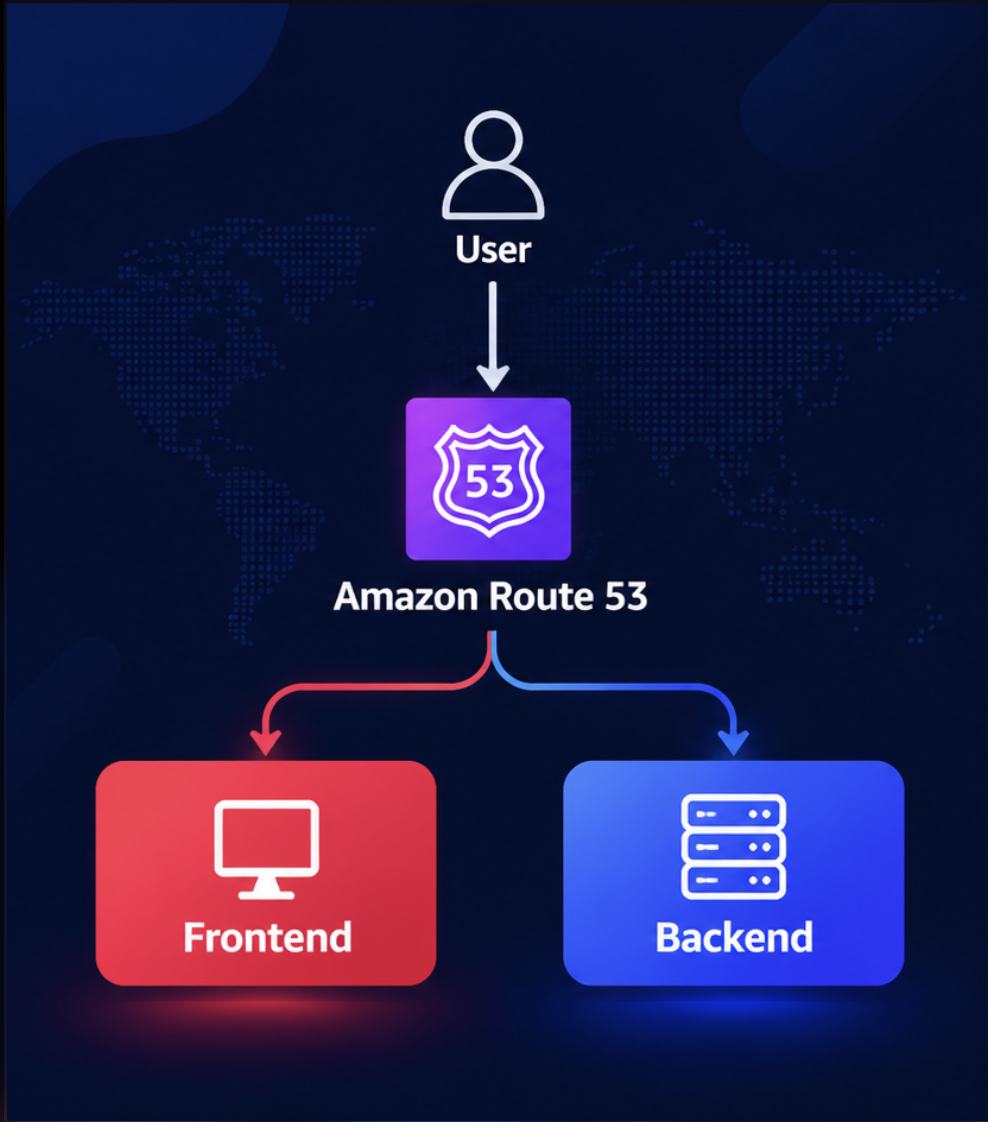
Amazon Route 53 converts a domain name into the destination that should receive the request.
High availability
A more traditional Multi-AZ design
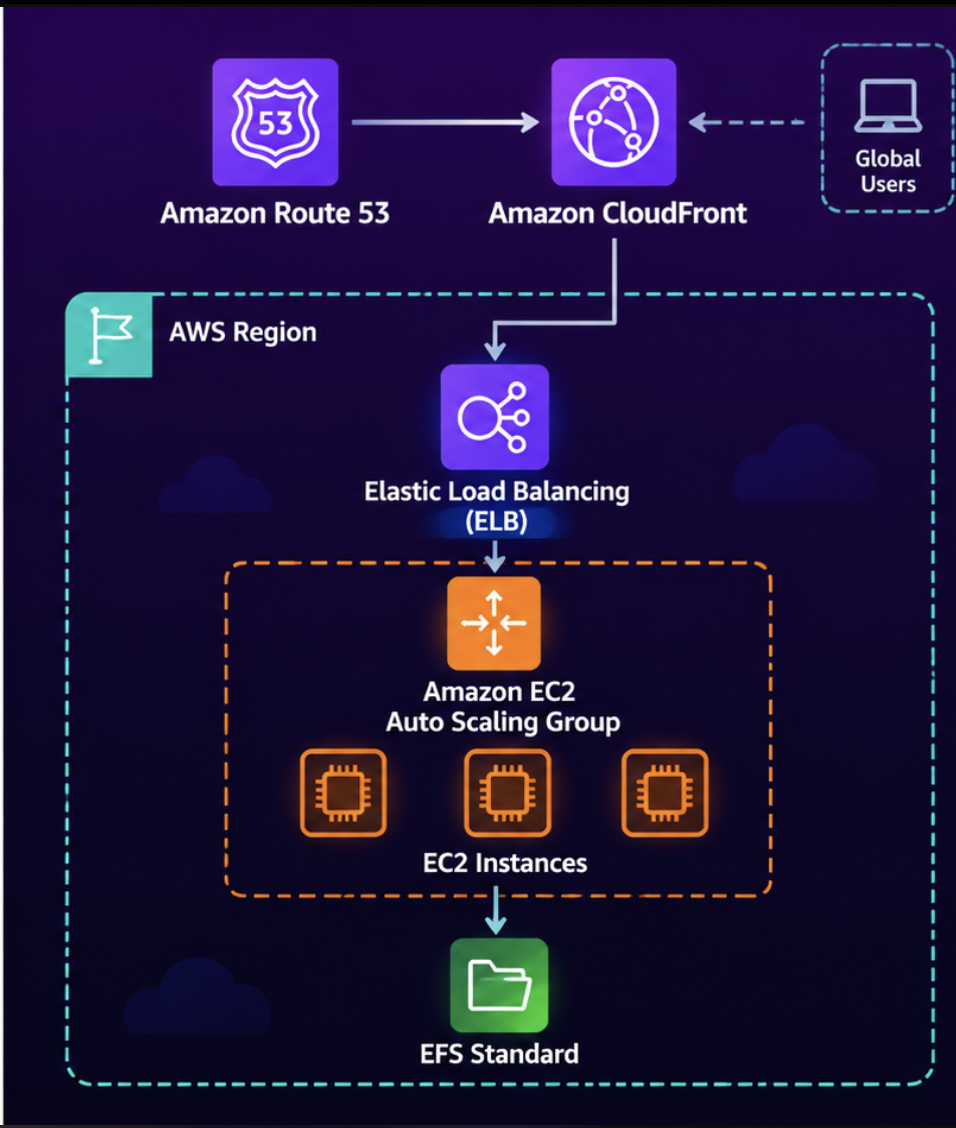
Do not start with every service at once. Add complexity when a real need appears.
2 · Frontend
Simplify with AWS Amplify Hosting
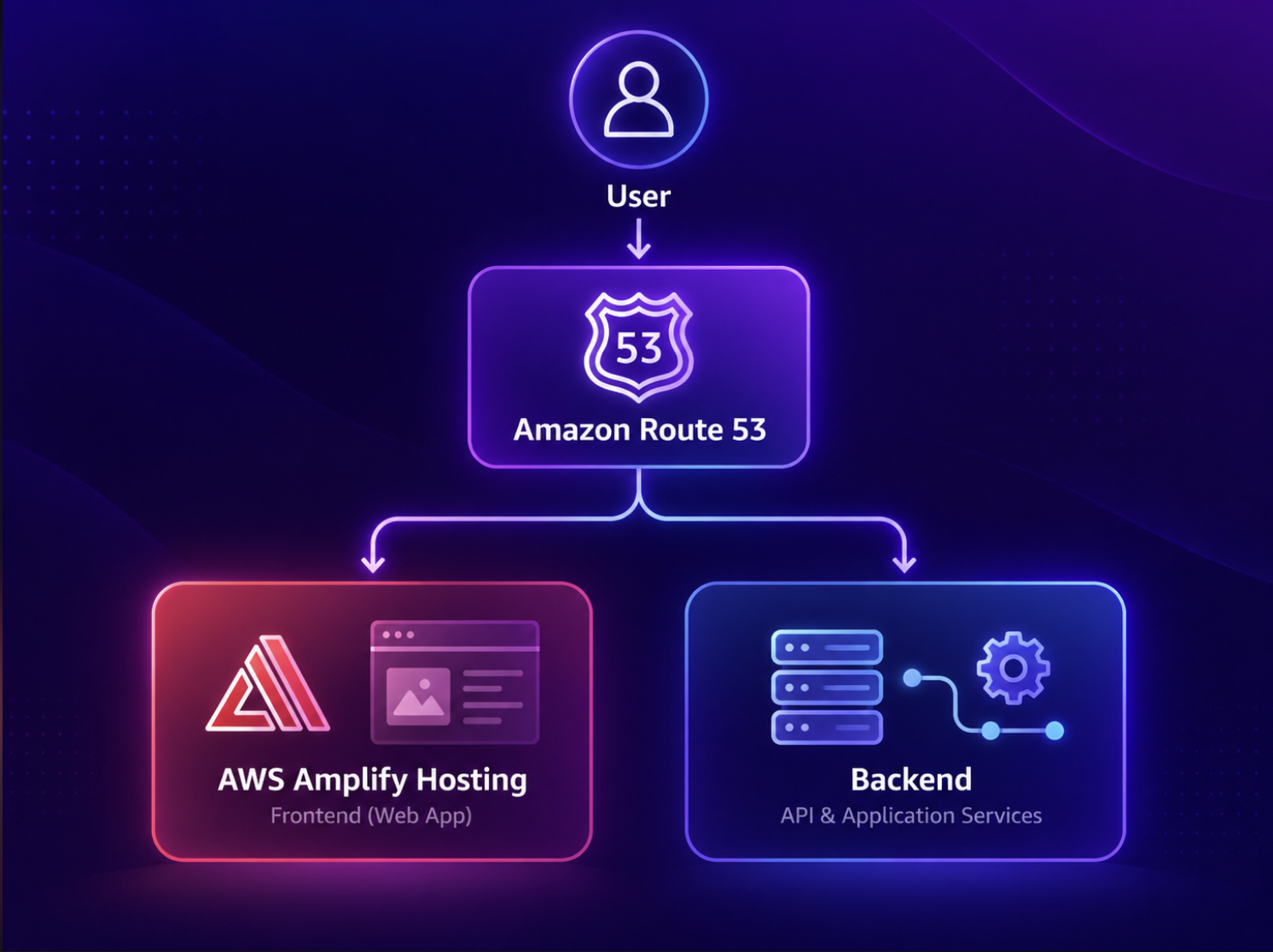
Amplify builds, deploys, and globally delivers the frontend. The backend stays a separate set of application services.
Amplify workflow
Connect, build, deploy globally
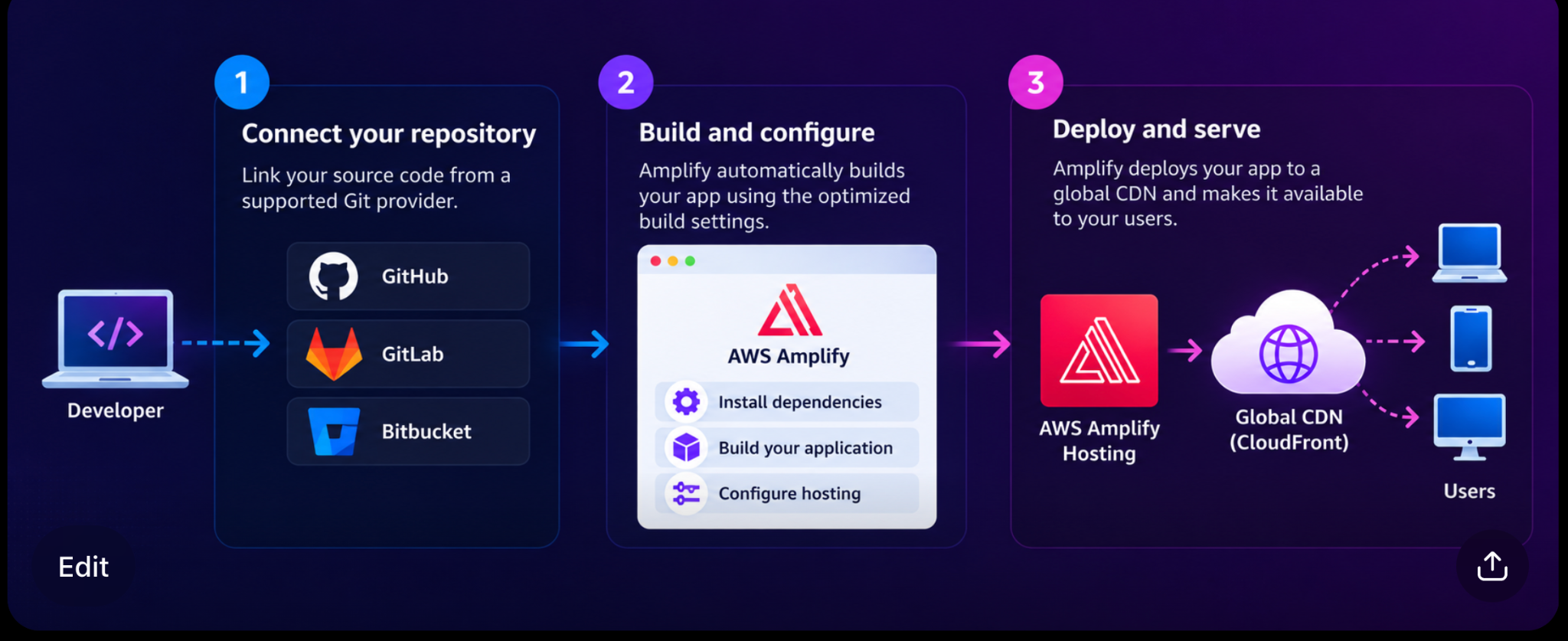
Amplify delivers the frontend. After the page loads, the browser calls the backend API directly.
Amplify trade-offs
Where Amplify can become limiting
- Less control over the underlying hosting infrastructure
- Advanced networking or unusual runtimes can be harder
- Framework and SSR support follows Amplify capabilities
- Troubleshooting can be harder across managed layers
- Deep Amplify integration can be harder to migrate away from
3 · Backend compute
Choose how the backend will run
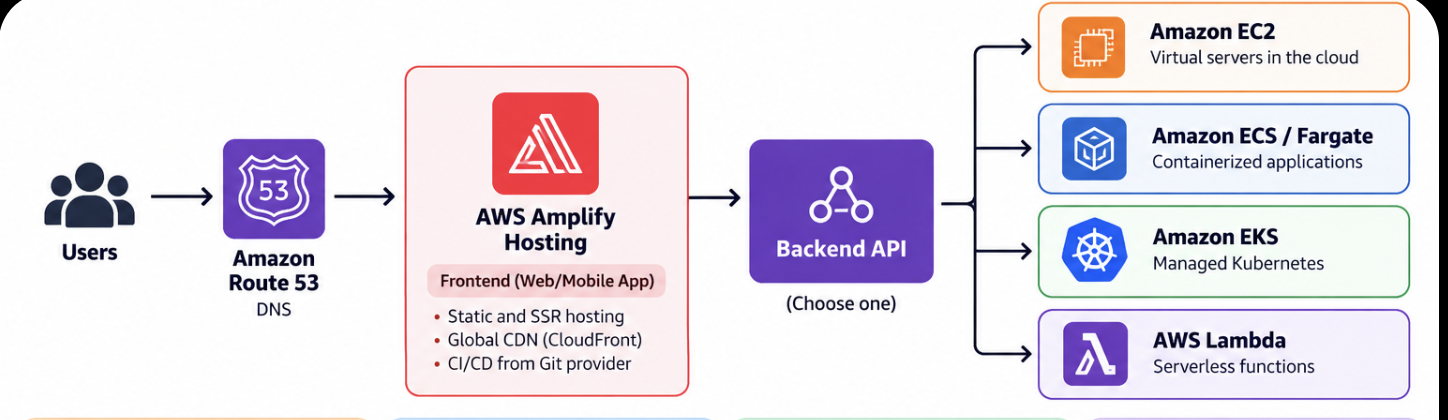
There is no single best option. It depends on control, containers, runtime length, and operational complexity.
Compare
EC2 · ECS/Fargate · EKS · Lambda
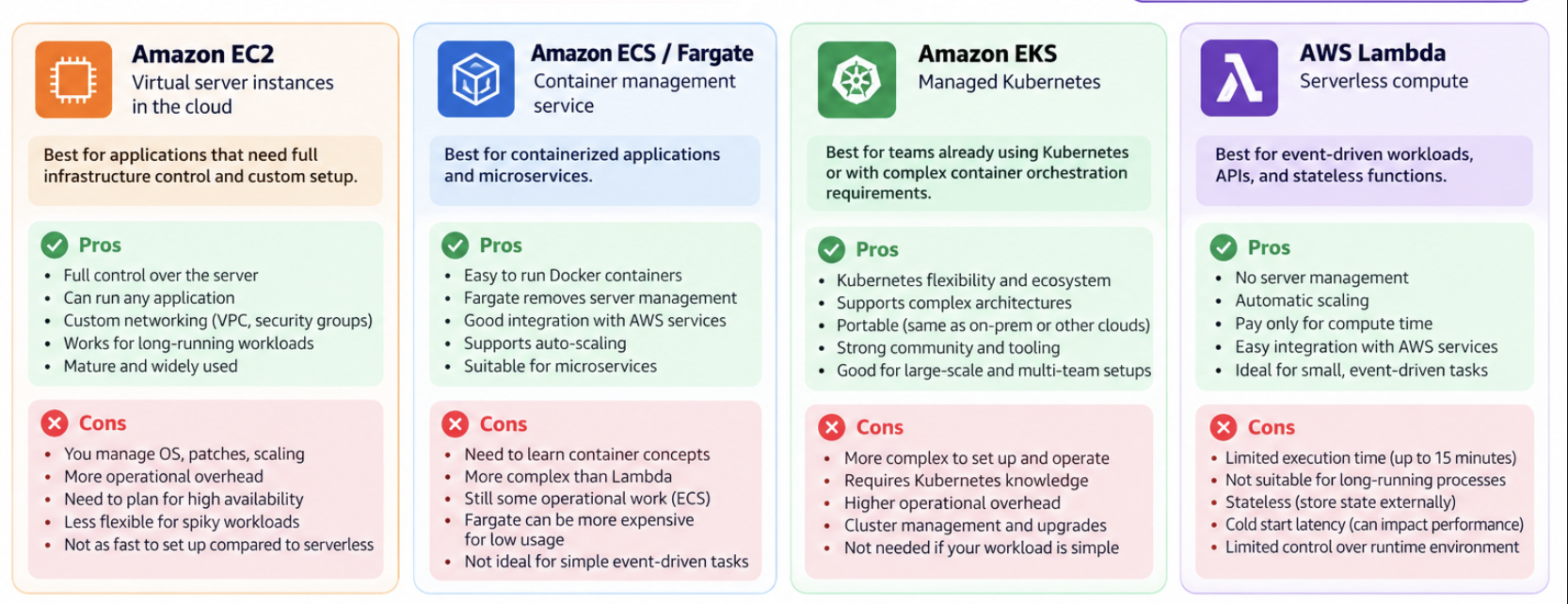
Max control → EC2. Containers without Kubernetes → ECS/Fargate. Need Kubernetes → EKS. Short-lived events → Lambda.
4 · API layer
Expose backend business logic to the frontend
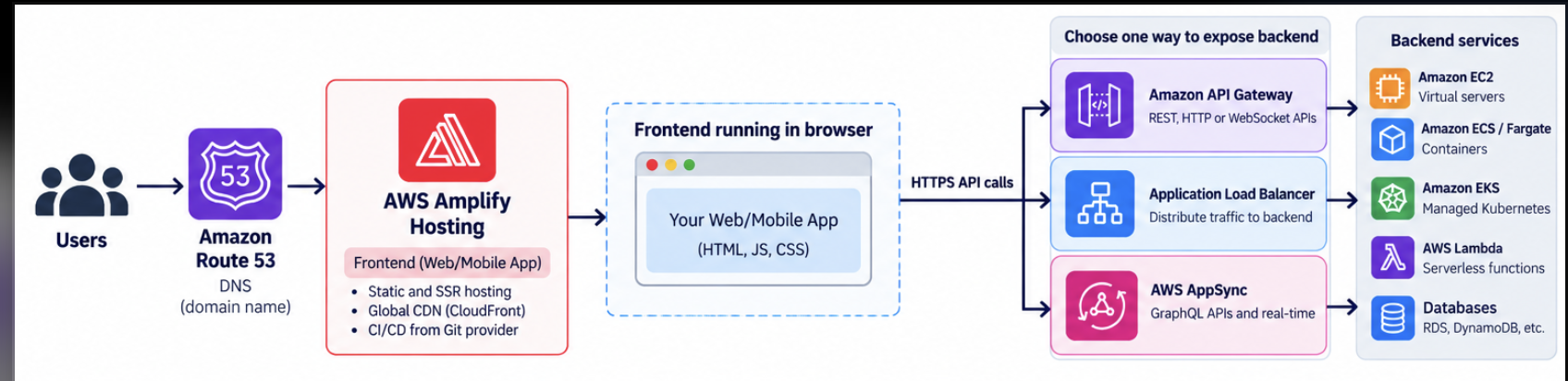
Authenticate, route, throttle, and decide which backend service should handle each request.
API choices
Pick the front door by workload
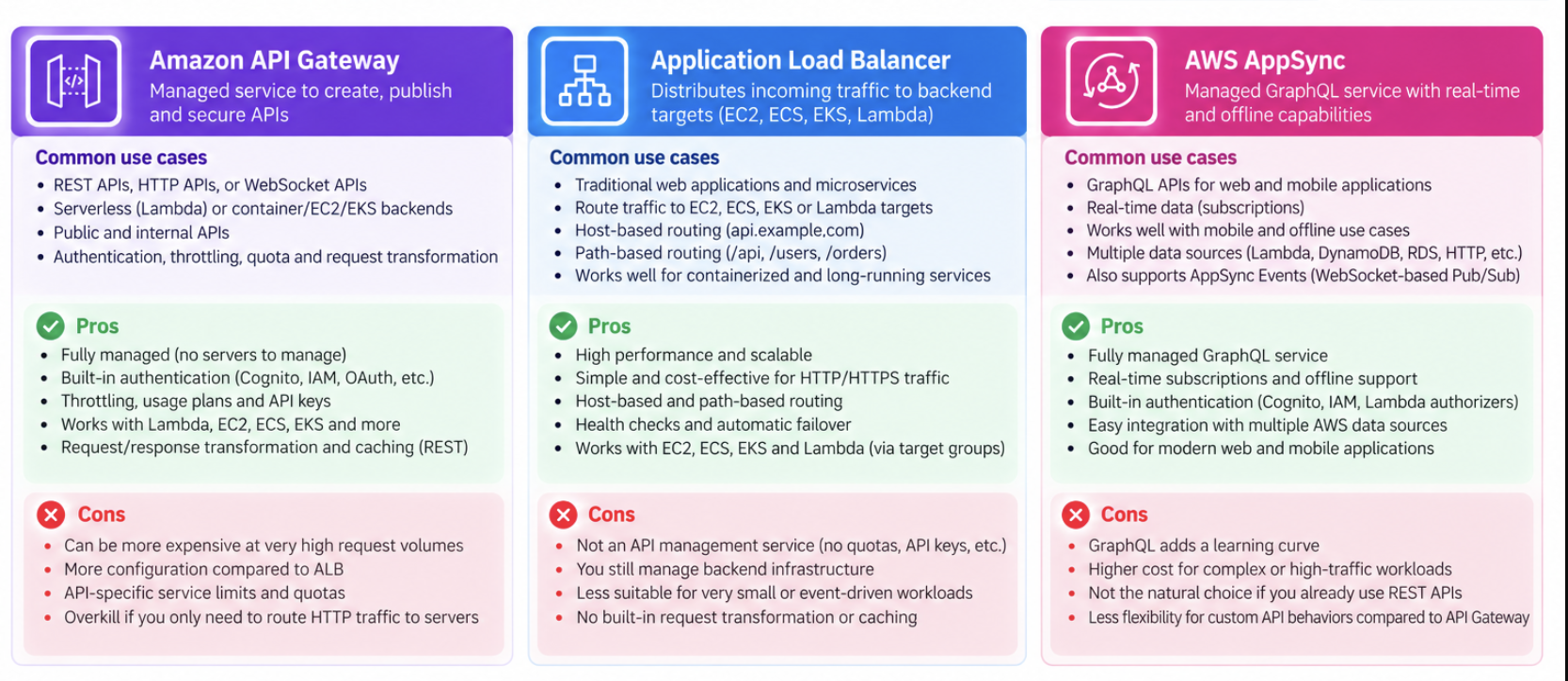
REST/HTTP/serverless → API Gateway. EC2 or containers → ALB. GraphQL or real-time → AppSync.
5 · Database
Choose by data and access pattern
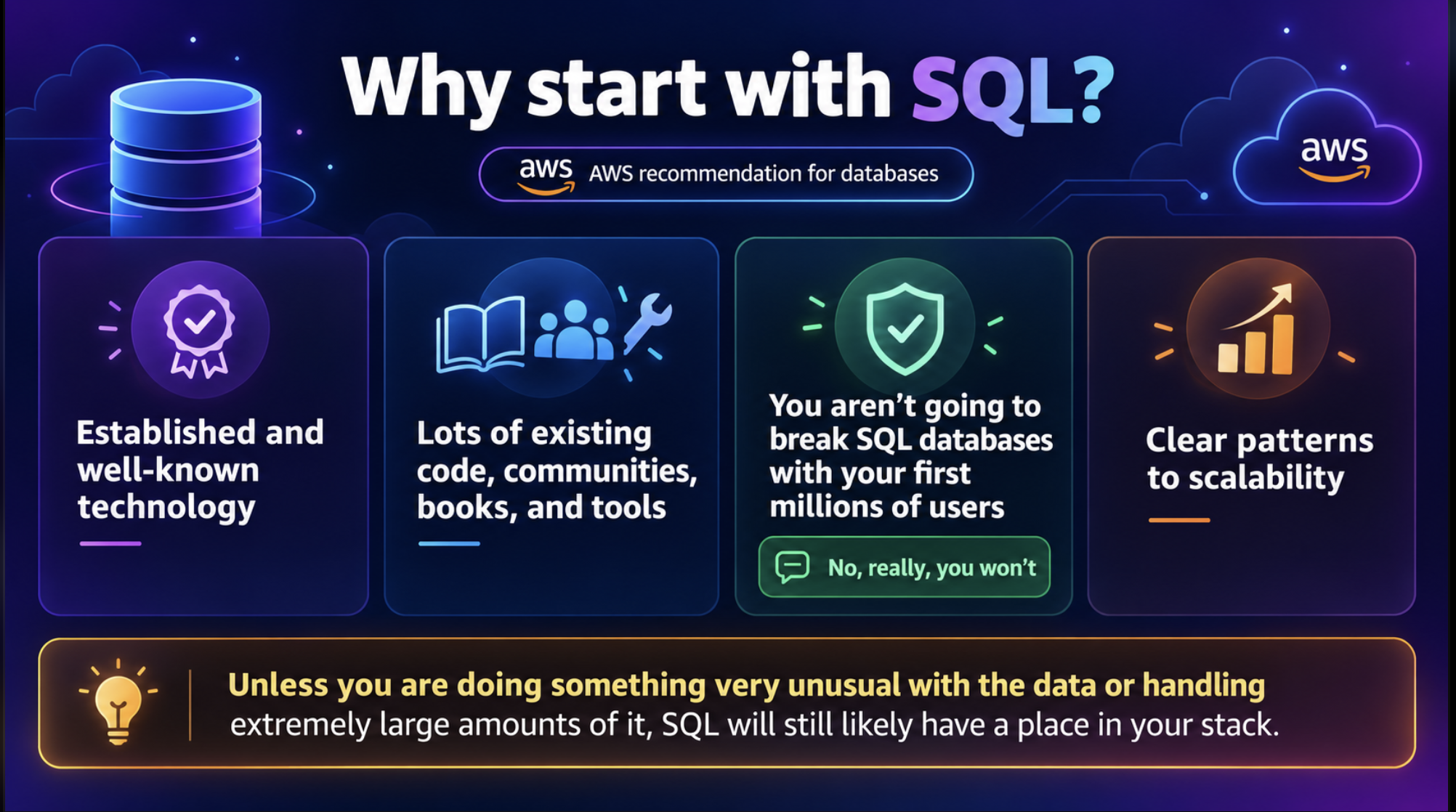
High traffic alone is not a reason to move to NoSQL. Relationships, joins, constraints, and ACID transactions usually point to SQL first.
NoSQL
When should you consider NoSQL?
- Flexible documents or key-value access
- Graph relationships
- Very high event ingestion
- Horizontal partitioning as a core design requirement
Do not choose NoSQL only because of terabytes of data or thousands of writes per second.
6 · Aurora
Managed SQL with stronger scaling and availability
Aurora keeps the SQL model but separates compute from distributed Multi-AZ storage. Read replicas scale reads; a replica can be promoted if the writer fails.
Think of Aurora as: managed SQL + distributed storage + easier read scaling + high availability.
Data layer tools
Different tools solve different problems
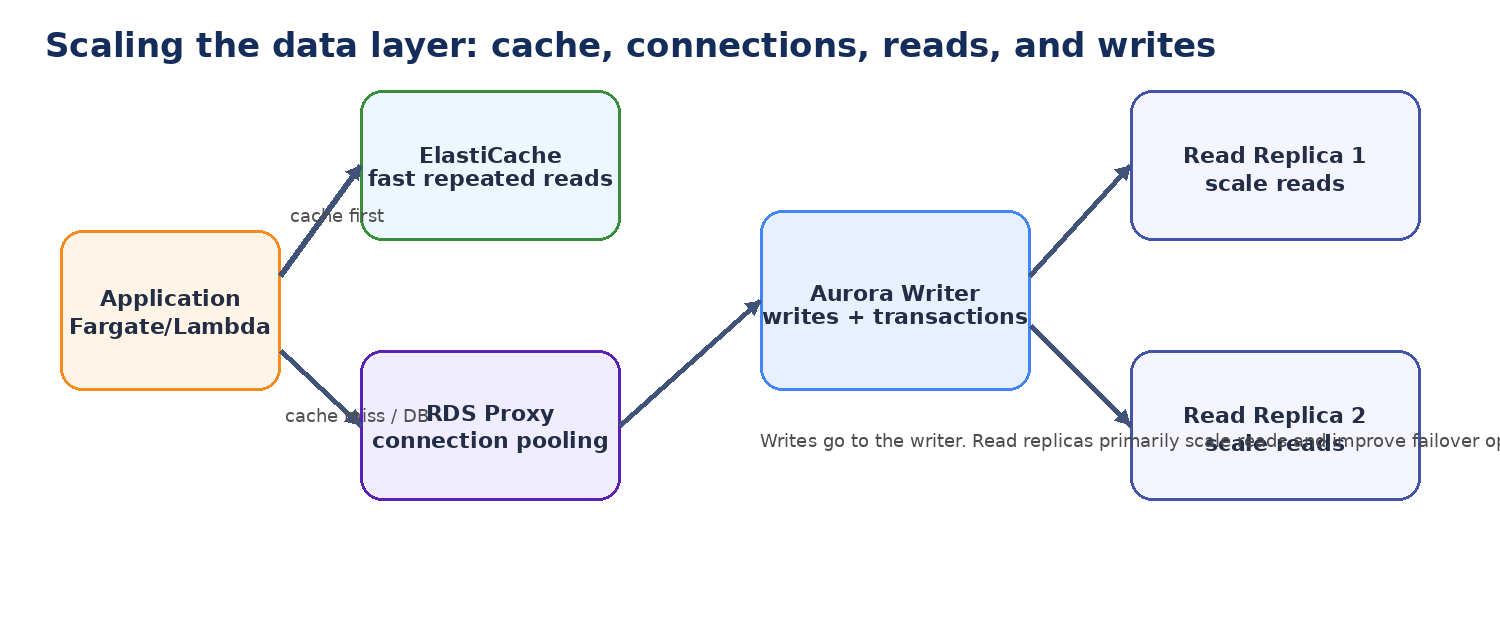
Aurora Serverless v2 can adjust compute for variable traffic — but it cannot fix an inefficient query.
7 · Growth
The first architecture can scale much farther than 10,000 users
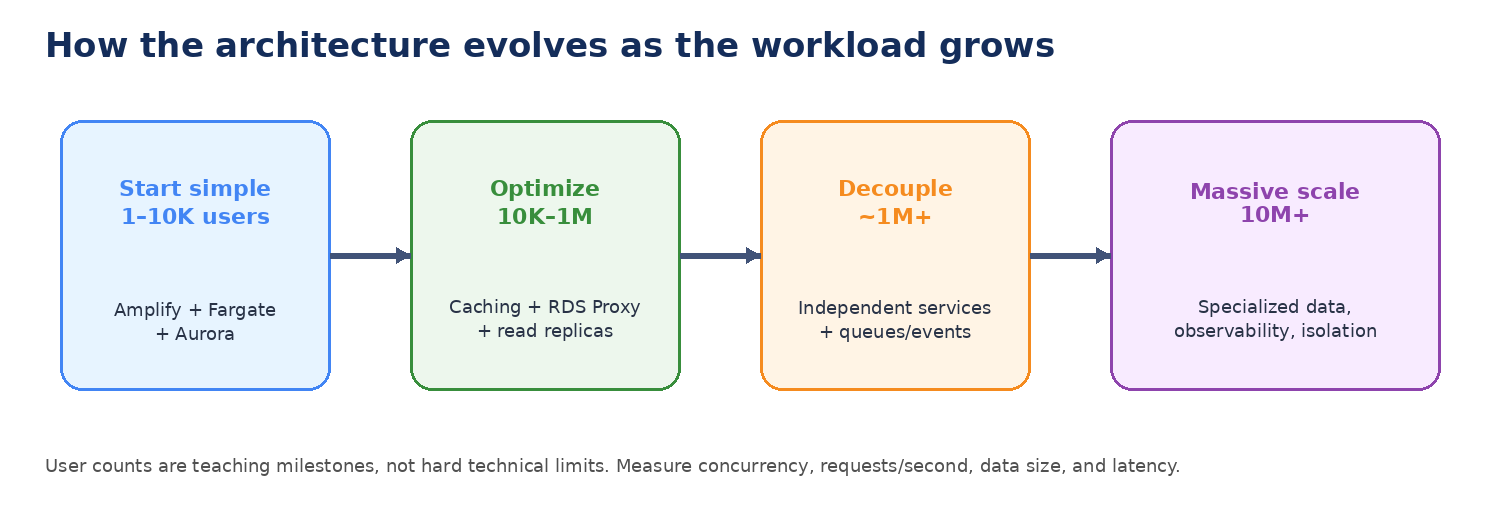
Route 53 → Amplify → Fargate → Aurora Serverless v2 can go far if designed well. Bottlenecks become more visible as usage grows.
8 · Frontend scale
Reduce work before adding infrastructure
- Cache-Control headers
- Compress and optimize images
- Lazy loading and code splitting
- Fewer repeated API calls
- Monitor cache-hit ratio and page performance
Good scaling often comes from doing less work, not from adding more servers.
9 · Connections
Manage database connections with RDS Proxy
When Fargate or Lambda scales out, each instance may open database connections. The database can choke on connection management even when CPU looks healthy.
RDS Proxy pools connections. It does not make slow SQL fast, and it does not replace read replicas.
10 · Cache
Reduce repeated database work with ElastiCache
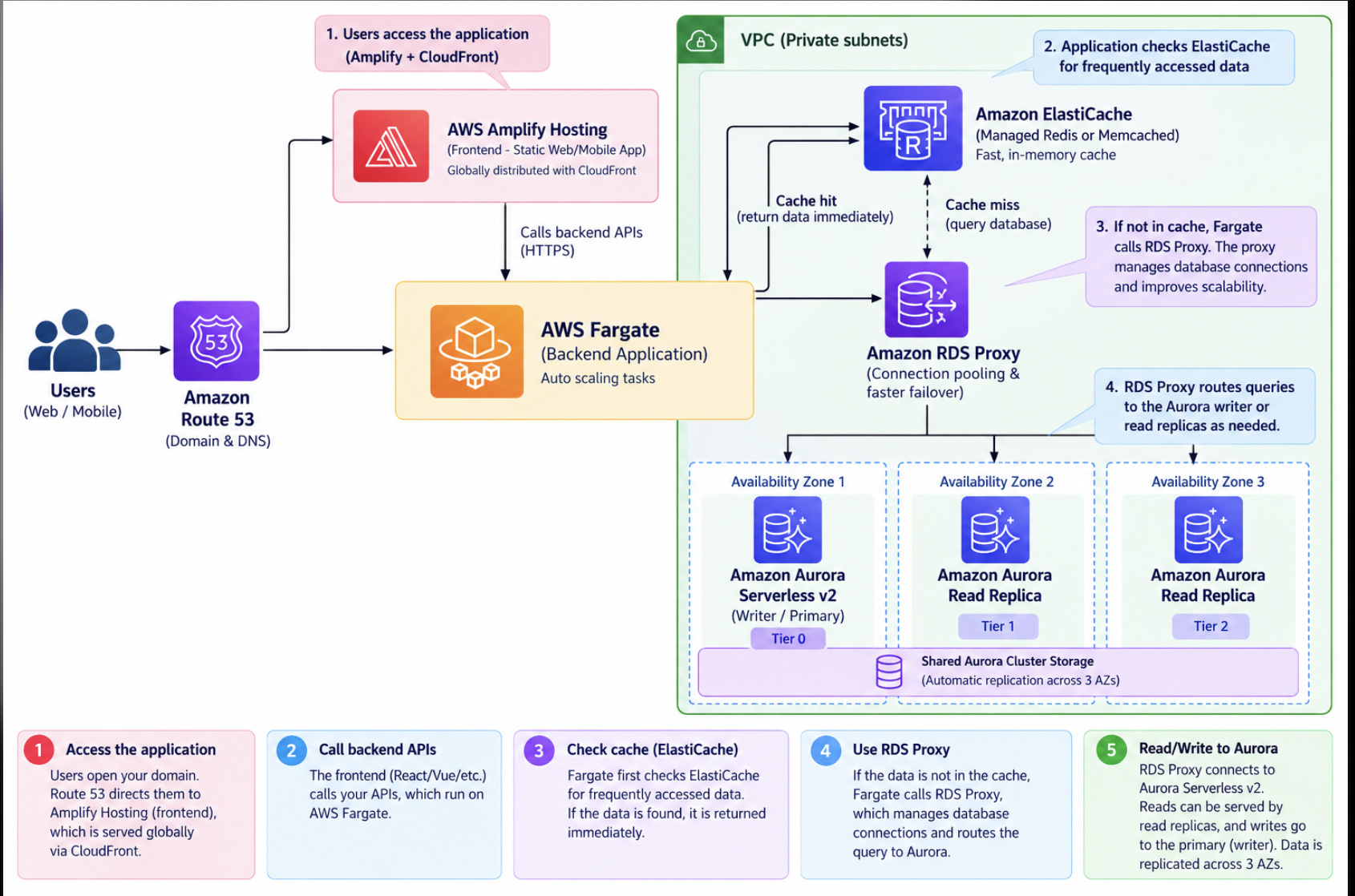
Check the cache first. On a miss, query the database and store the result. The new problem is cache invalidation.
11 · Architecture
At large scale, the application architecture becomes the bottleneck
Product complexity, deployment risk, team ownership, and failure isolation matter as much as traffic.
Extract a microservice for independent scaling, ownership, or failure isolation — not because a user count was reached.
12 · Decouple
Queues, topics, event buses, and streams
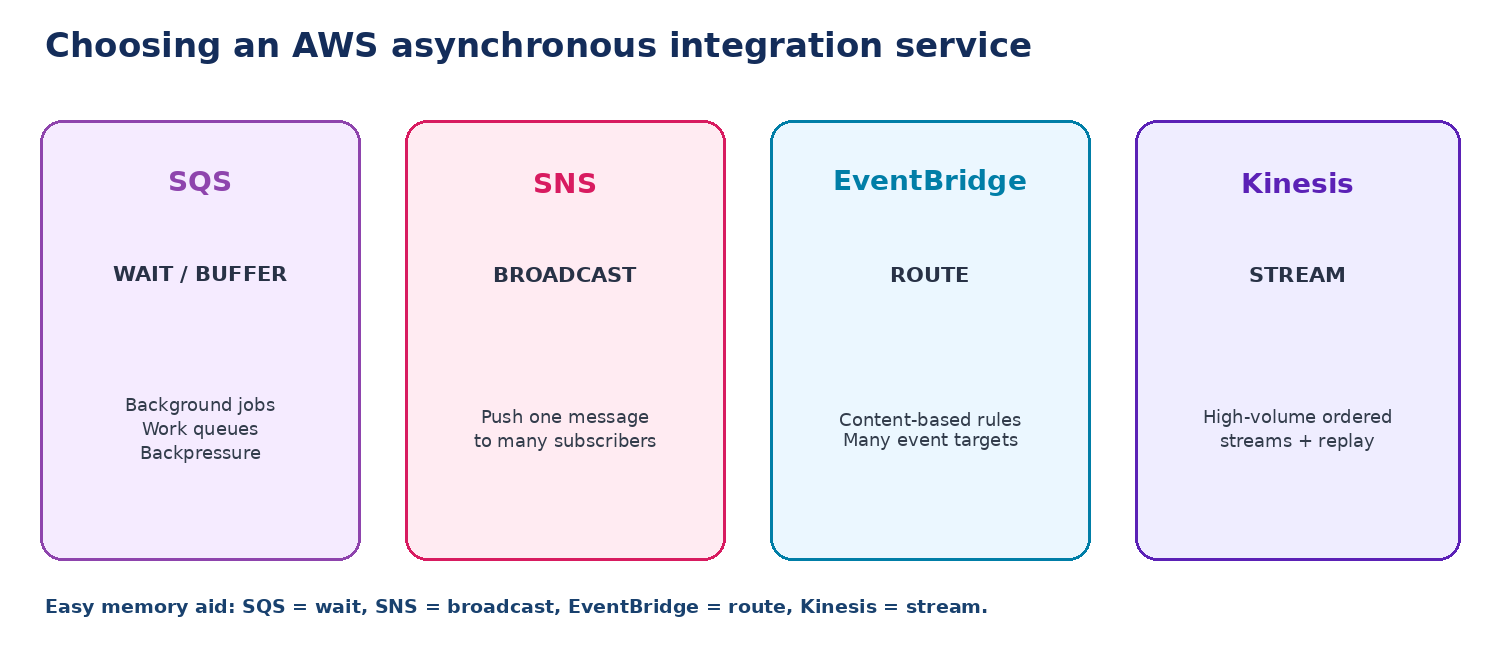
SQS = wait · SNS = broadcast · EventBridge = route · Kinesis = stream
13 · Microservices
Put the pieces together
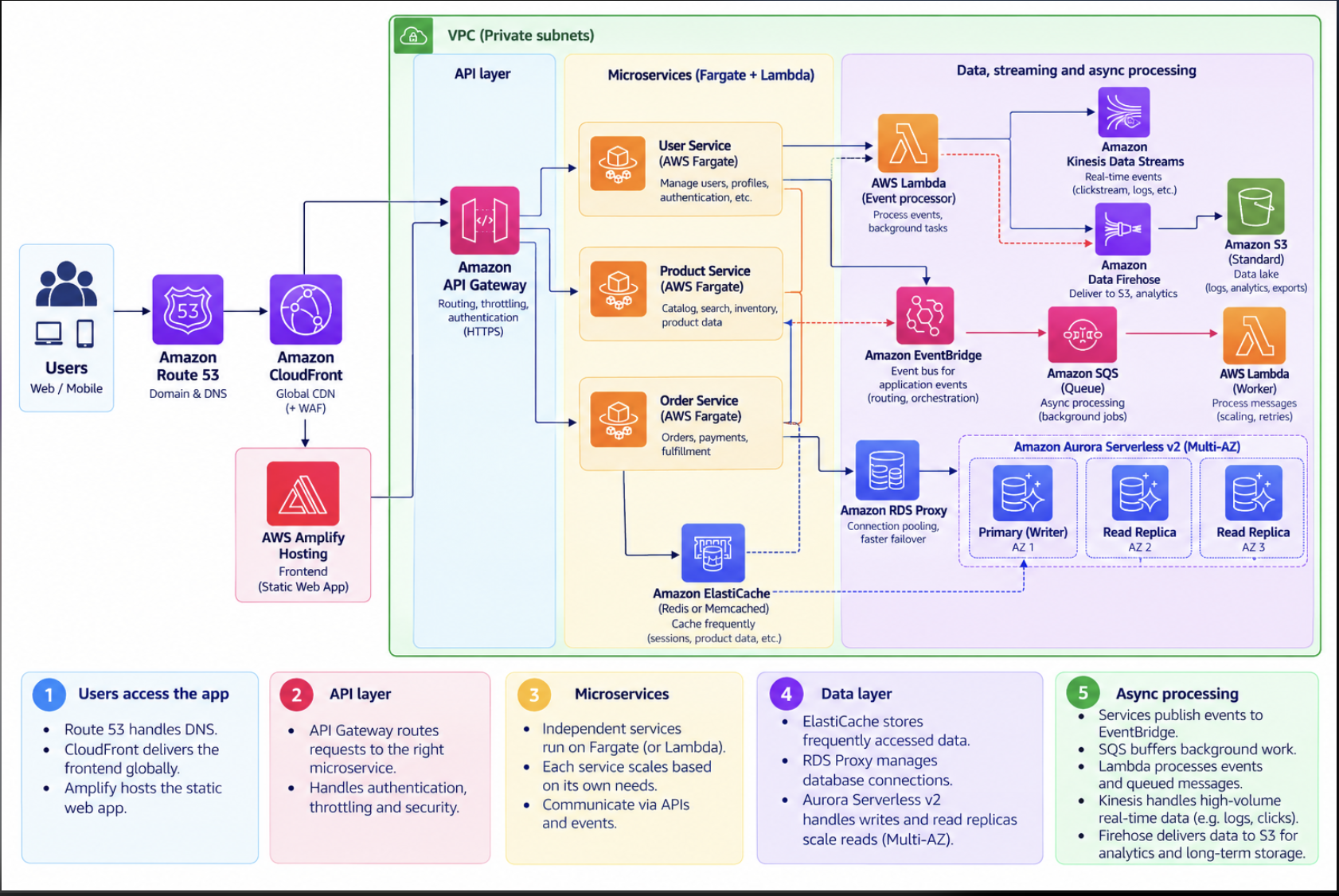
One service may use Aurora, another DynamoDB, another SQS or EventBridge. That is purpose-built services.
14 · Massive scale
Optimize each layer independently
- Measure latency, throughput, errors, cache hit ratio, and cost
- Cache at browser, CloudFront, API, app, and ElastiCache
- Use async processing to absorb spikes
- Timeouts, retries, circuit breakers, queues, and rate limits for isolation
15 · Closing
The principles that matter most
Start simple. Measure real bottlenecks. Use managed services where they fit. Cache aggressively when freshness allows it. Separate workloads only when you gain clear scaling, ownership, or failure-isolation benefits.
Good architecture evolves with evidence.
Open the full lesson →