← Back to the lesson
1 / 1

Week 3 · GPU

Introduction to GPU

GPUs are everywhere in AI conversations today.

Click or press → to reveal each idea. Use the buttons on a slide to explore.

The question

You need a GPU. But why?

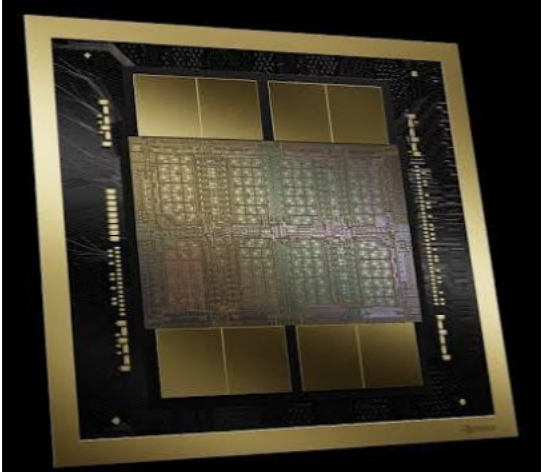
A close-up of a GPU die.

What exactly does a GPU do that a CPU cannot do as efficiently?

And how did hardware originally designed to make video games look better become the foundation of modern AI?

A common misconception

GPUs were never built for AI

GPU stands for Graphics Processing Unit, and its original job was much simpler: help computers draw graphics for video games.

  • lighting
  • shadows
  • reflections
  • textures
  • character movement
  • millions of pixels on the screen

Instead of a few complicated tasks, the computer needed huge numbers of similar calculations at the same time.

CPU vs GPU

A few powerful workers, or thousands of parallel workers?

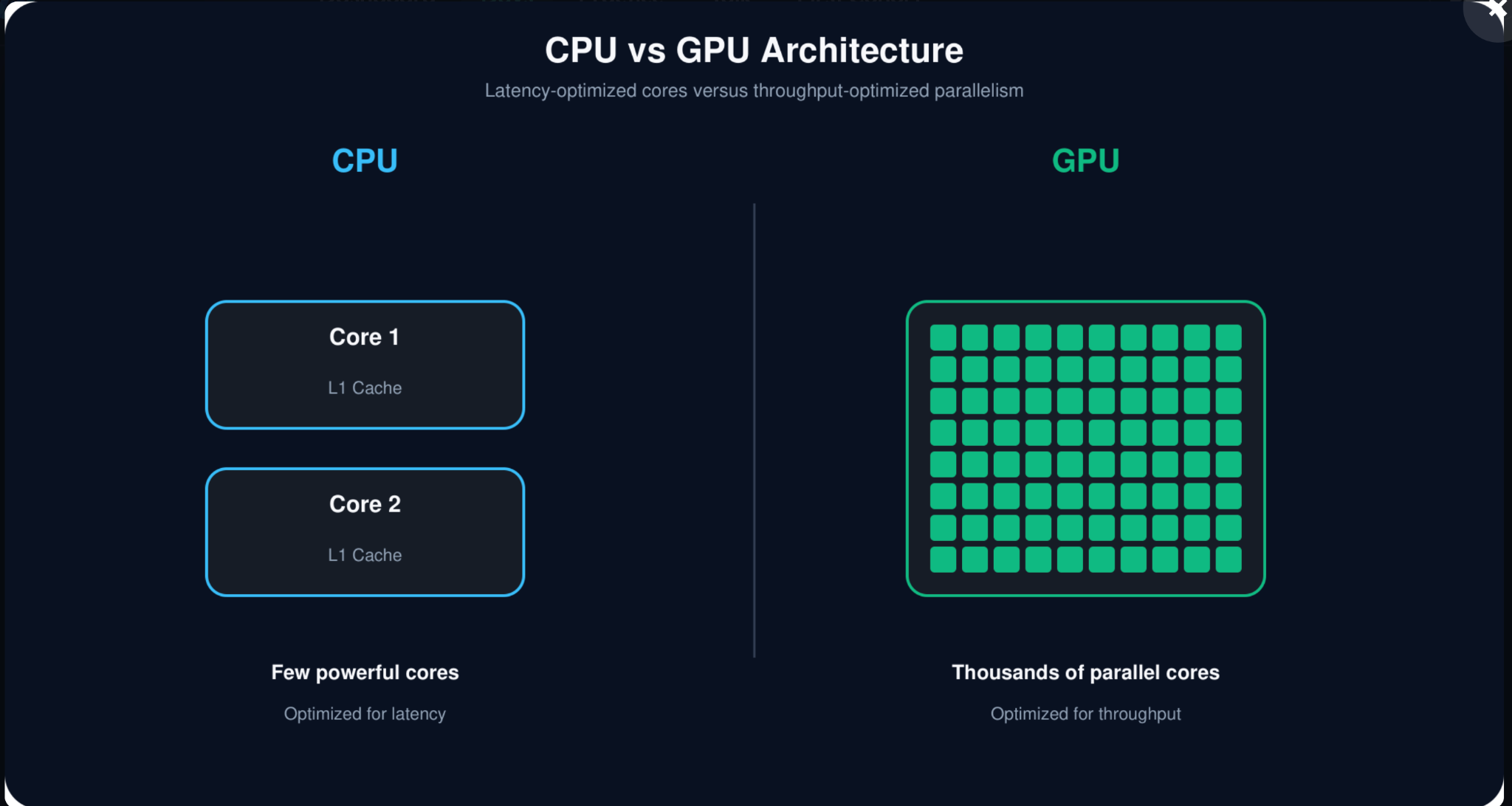
CPU versus GPU architecture.

A few highly skilled workers handling different and complicated jobs. Optimized for latency: how quickly can one task be completed?

A very large team of workers doing similar jobs in parallel. Optimized for throughput: how much work can be completed at the same time?

The key idea

They are designed for different kinds of work

CPU = optimize one task for speed

GPU = optimize many similar tasks for parallel execution

Neural networks perform huge numbers of similar mathematical operations, especially matrix calculations. That is why GPUs became so important for AI.

The journey, in five moments

From video games to ChatGPT

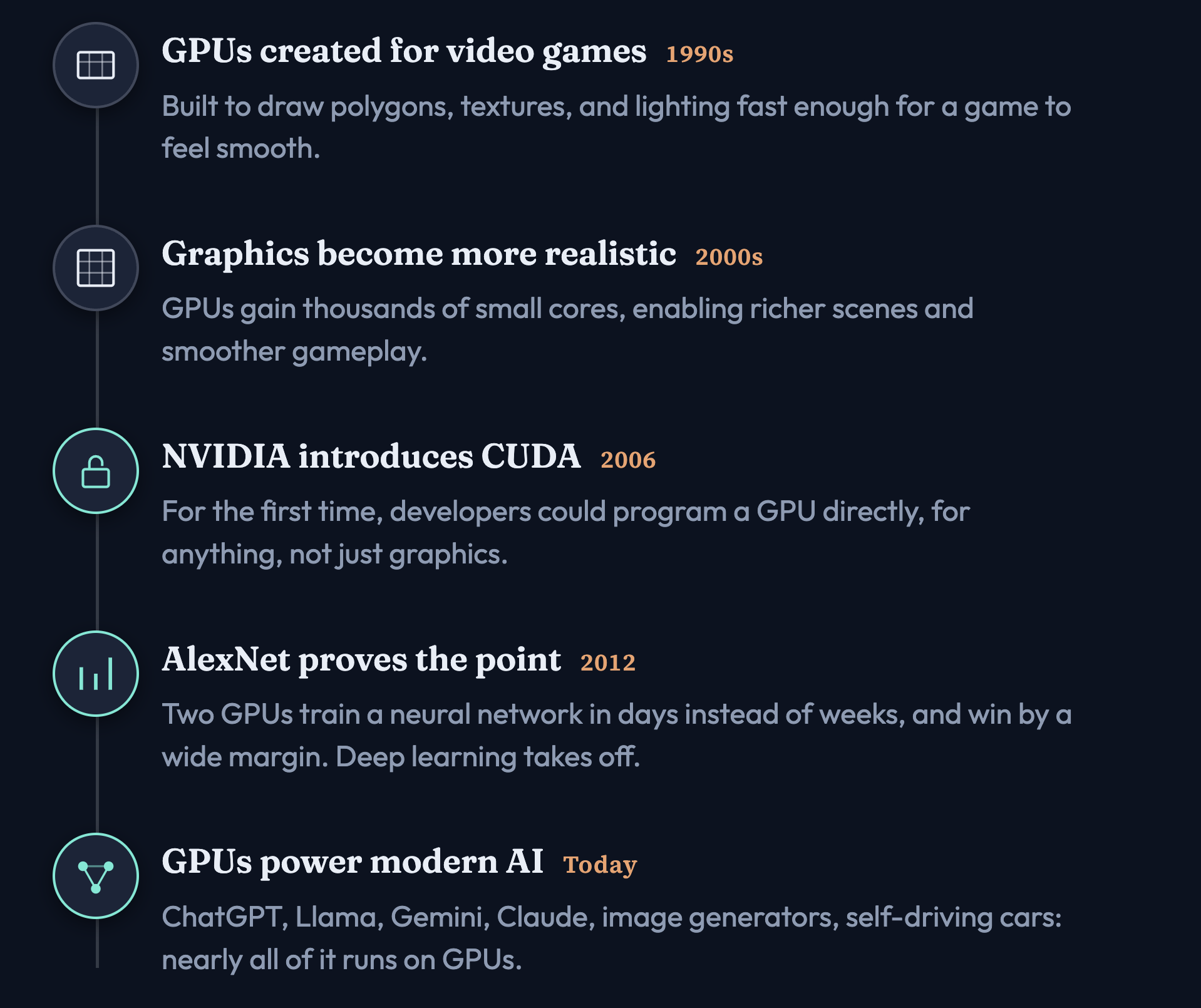
Five moments in the GPU journey from games to modern AI.

GPUs did not suddenly become useful for AI. Their design evolved over many years.

Five moments

Click each date

1990s — GPUs were created for video games. Early GPUs were built to draw graphics quickly: polygons, textures, lighting, and pixels.

2000s — Graphics became more realistic. GPUs gained more processing units and became much better at parallel computation.

2006 — NVIDIA introduced CUDA. Developers could write programs that used the GPU for general-purpose computation, not just drawing graphics.

2012 — AlexNet. It showed the AI community that GPUs could dramatically speed up deep-learning training.

Today — GPUs are a major part of modern AI infrastructure for training and running models.

Inside the GPU

What are all these parts actually doing?

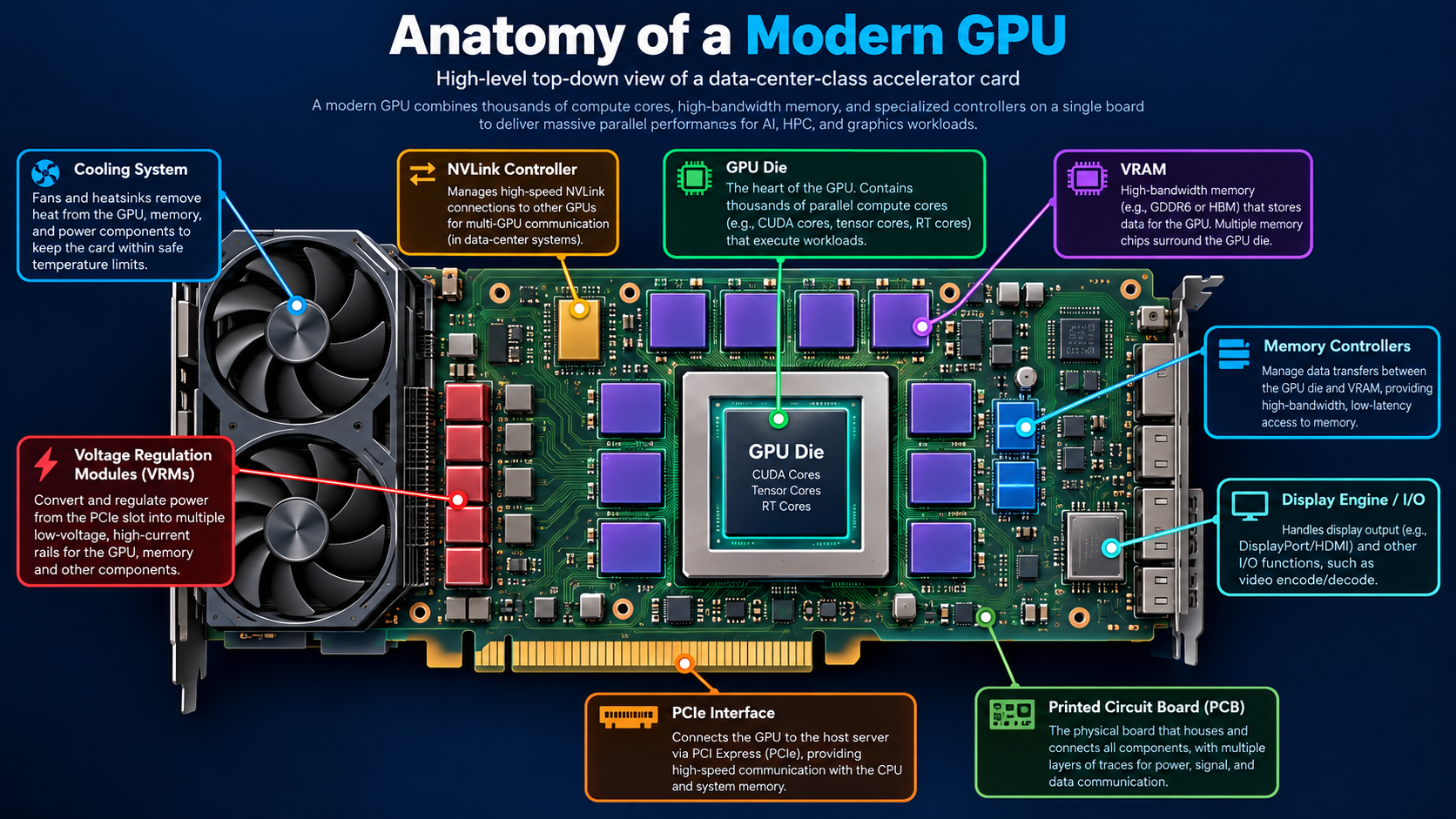
Anatomy of a modern GPU card.

You can think of the entire GPU card as a small specialized computer.

Around the die

The GPU die cannot work alone

  • VRAM stores the data the GPU is currently working with, including model parameters during AI workloads.
  • Memory controllers move data between VRAM and the GPU.
  • PCIe connects the GPU to the rest of the computer, especially the CPU.
  • NVLink can provide a faster connection between GPUs.
  • Voltage regulators provide the power the GPU needs.
  • Cooling systems remove the large amount of heat generated while the GPU is working.

Transistors

The tiny switches that make everything possible

A transistor is a tiny electronic switch. At the simplest level, it can be thought of as having two states:

ON or OFF

Think of a single transistor like one LEGO brick. Billions of carefully arranged bricks can create an incredibly complex machine.

Transistors

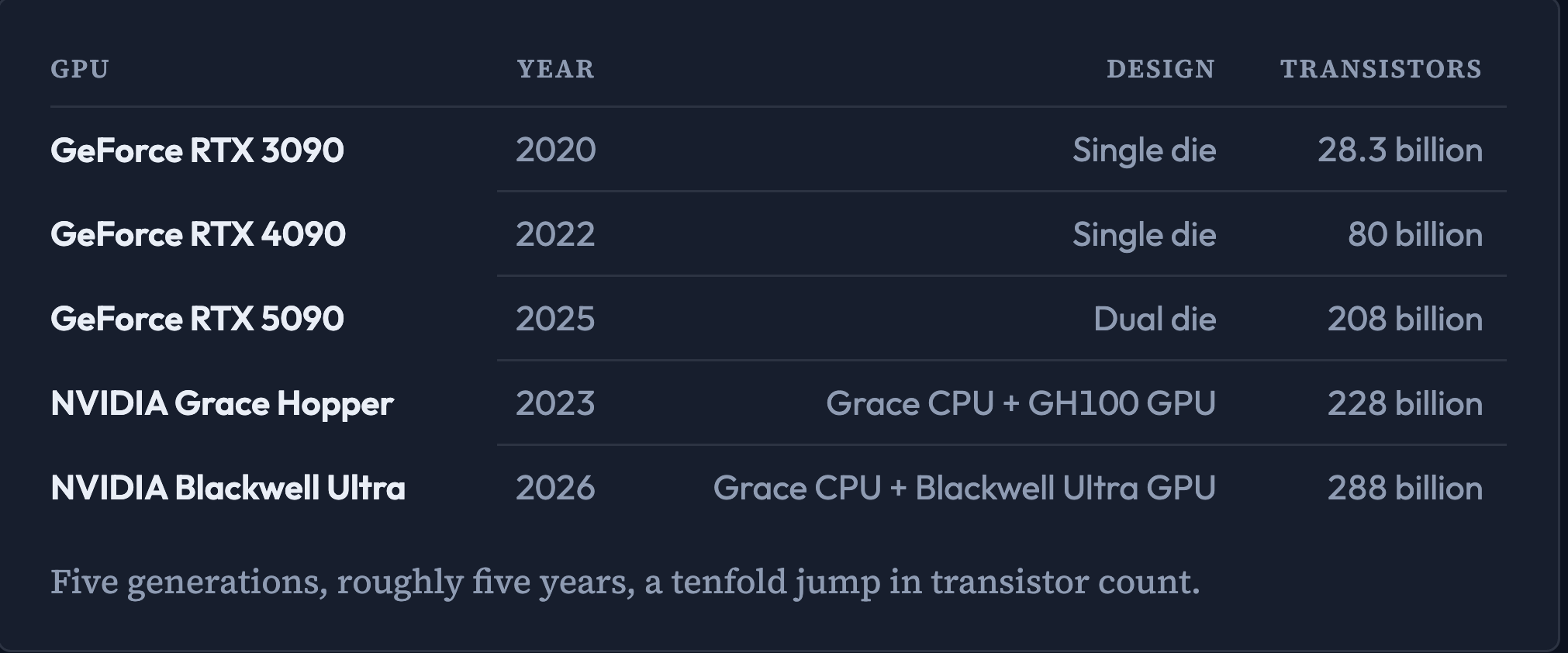
More transistors does not automatically mean a proportionally faster GPU

GPU transistor counts across generations.

Performance also depends on how those transistors are organized, memory bandwidth, cache design, clock speed, power limits, and software.

Streaming Multiprocessor

Most of the actual computation happens inside the SMs

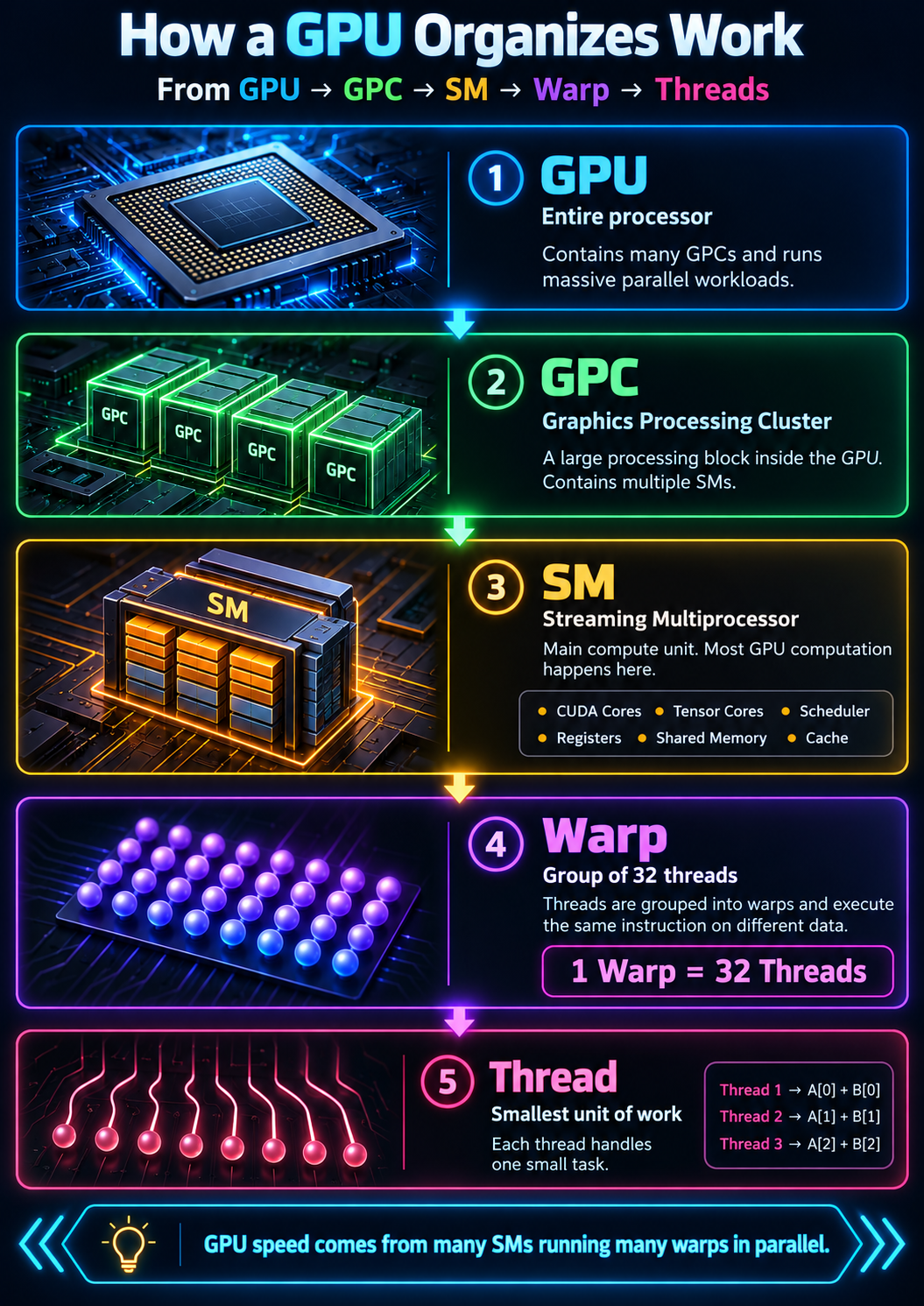
GPU to GPC to SM to warp to threads.

The hierarchy

GPU → GPC → SM → Warp → Threads

The entire processor. It contains many GPCs and runs massive parallel workloads.

A Graphics Processing Cluster: a large processing block inside the GPU that contains multiple SMs.

A Streaming Multiprocessor is a small compute unit. It has CUDA cores, Tensor Cores, schedulers, registers, shared memory, and cache.

On NVIDIA GPUs, threads are grouped into sets of 32, called a warp. The threads in a warp execute the same instruction on different pieces of data.

A thread is one small unit of work. Example: Thread 1 adds A[0] + B[0]. Thread 2 adds A[1] + B[1].

1 warp = 32 threads

GPU Cores

Inside each SM: three kinds of cores

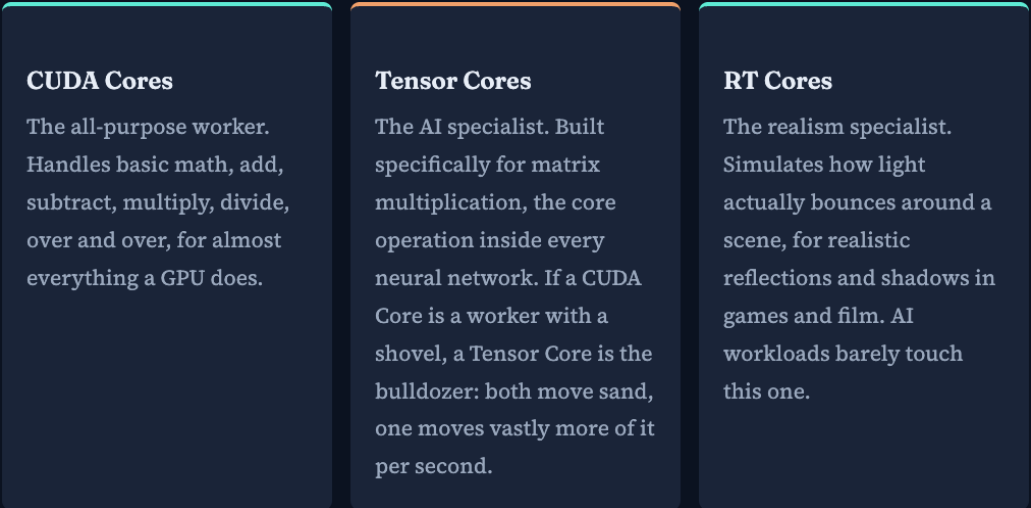
CUDA Cores, Tensor Cores, and RT Cores.

The general-purpose workers. They handle addition, subtraction, multiplication, and division again and again.

The AI specialists. Designed for matrix multiplication. CUDA Core = a worker using hand tools. Tensor Core = a machine built for one high-speed job.

The graphics specialists. RT stands for ray tracing. They are not a major part of most AI workloads.

GPU Memory

Why so many different types?

GPU memory hierarchy from registers to VRAM.

The answer is simple: speed and capacity are a trade-off.

Registers → Shared Memory / L1 Cache → L2 Cache → VRAM

Keep data close

Click a memory level

The data currently in your hands. Extremely fast, but there is very little of it.

Shared memory is a whiteboard used by the whole team. Software decides what goes there. L1 cache is the chef's countertop: hardware manages it automatically.

L2 is the pantry shared by the entire kitchen. Larger than L1, shared across the GPU. Path: SM → L1 → L2 → VRAM.

The GPU's main memory. For an AI model that can include model weights, activations, and the KV cache during LLM inference.

A fast GPU is not useful if its cores are constantly waiting for data.

Bus width & bandwidth

The highway between the GPU and memory

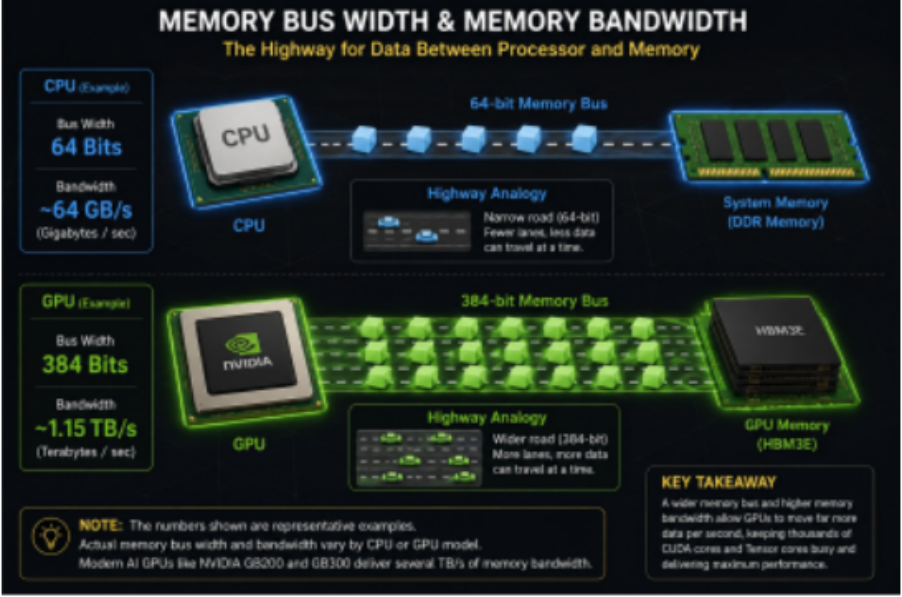
Memory bus width and bandwidth comparison.

Bus width = how wide is the road?

Bandwidth = how much data can travel on that road every second?

Fast cores + slow memory = cores waiting. Fast cores + high memory bandwidth = cores stay busy.

NVLink

How do those GPUs exchange data quickly?

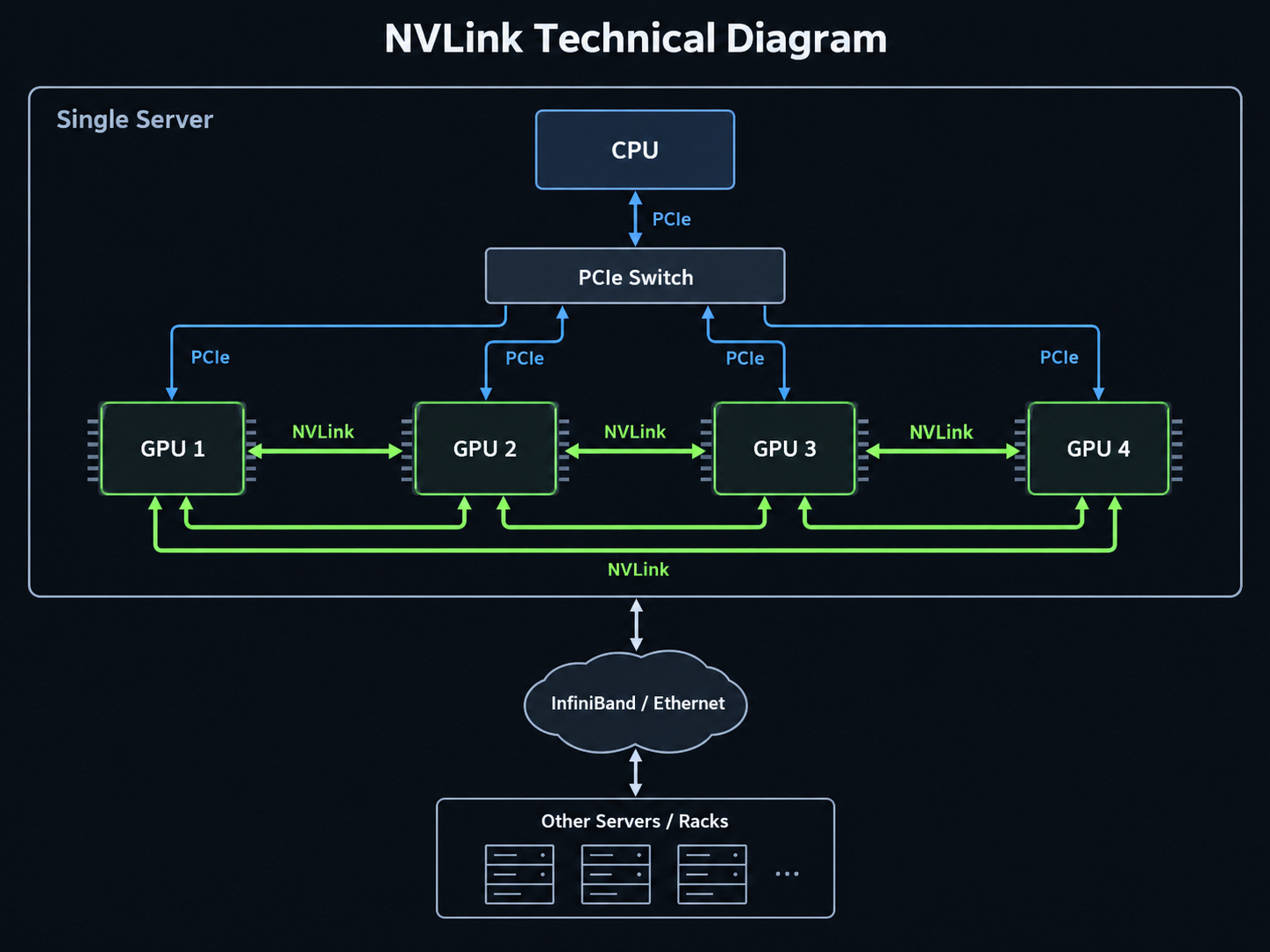
NVLink connecting GPUs, with InfiniBand or Ethernet to other servers.

PCIe connects the GPU to the host system.

NVLink connects GPUs to other GPUs at very high speed.

InfiniBand or Ethernet connects larger groups of systems across the network.

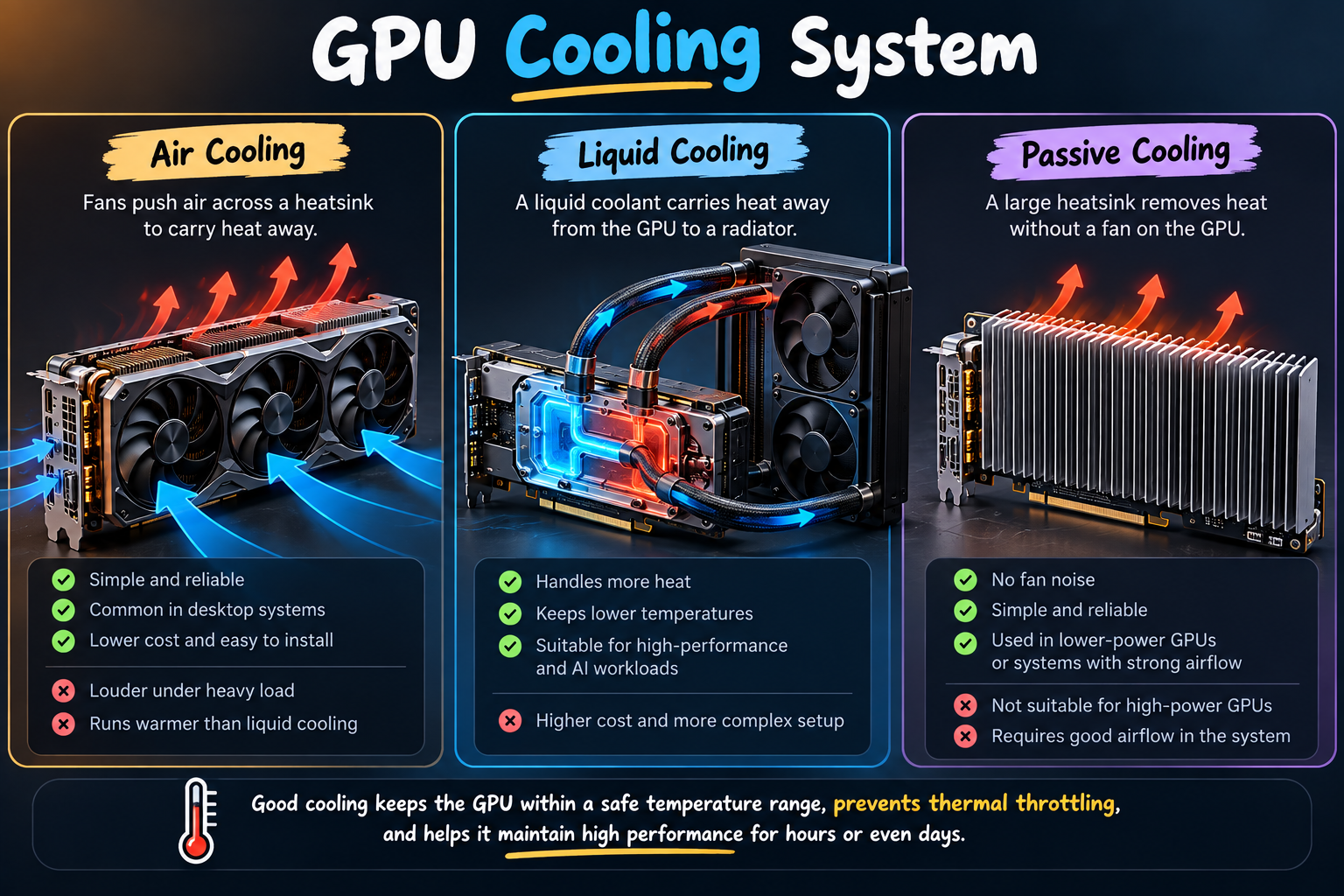
Cooling System

Keeping the GPU from overheating

Air, liquid, and passive GPU cooling.

If the GPU gets too hot: temperature rises → clock speed drops → performance decreases.

More GPU activity → more heat. Better cooling → more stable performance.

Bringing it together

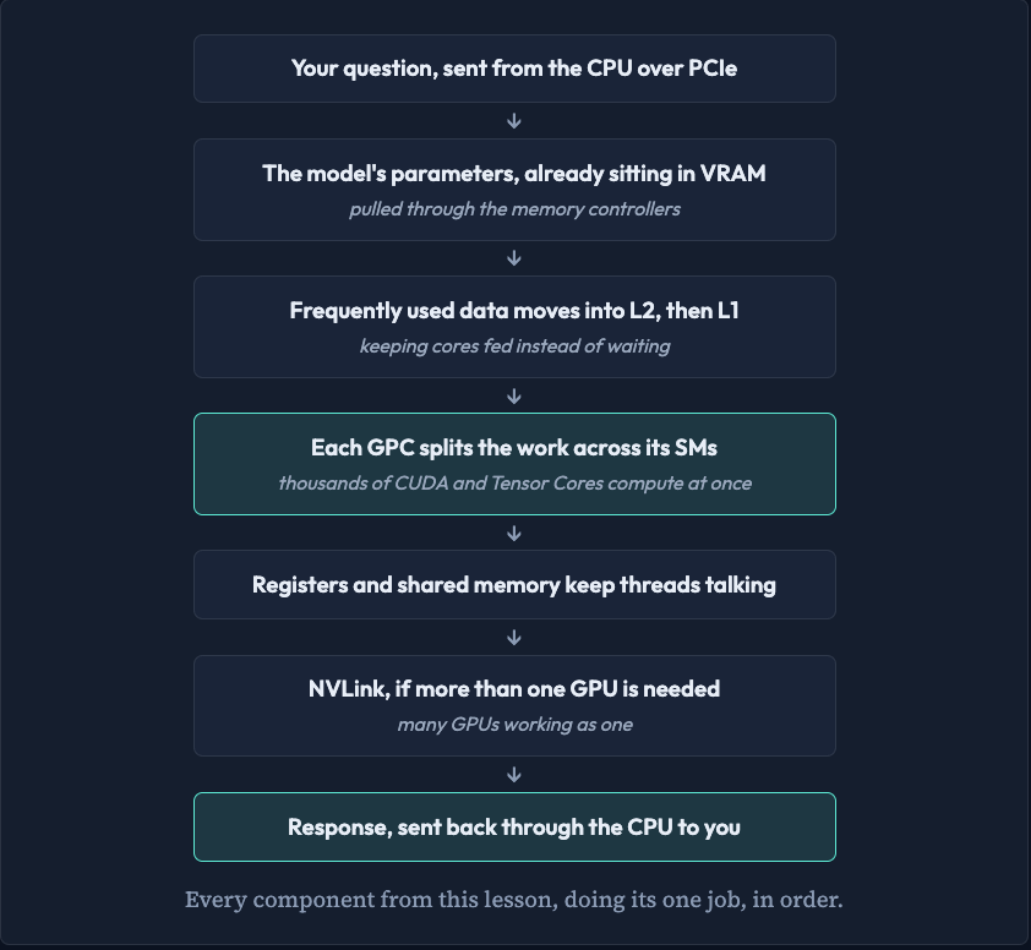
What happens when you ask an AI model a question?

Imagine you type: “What is Artificial Intelligence?”

The flow of an AI question through the GPU.

The flow

Eight steps, one response

  1. Your question starts on the CPU
  2. The model is already loaded into VRAM
  3. Data moves closer to the compute units
  4. The GPU divides the work
  5. Thousands of cores start computing
  6. Registers and shared memory keep data close
  7. Multiple GPUs can work together
  8. The result comes back to you

The big picture

Keep thousands of compute units supplied with data

  • VRAM stores the model and working data
  • Caches and shared memory keep frequently used data close
  • SMs organize the computation
  • CUDA and Tensor Cores perform the math
  • NVLink helps multiple GPUs communicate
  • Cooling keeps everything running at full speed

That is the core idea behind a GPU and the reason it became such an important part of modern AI.
Open the full lesson →

Click or → to reveal